

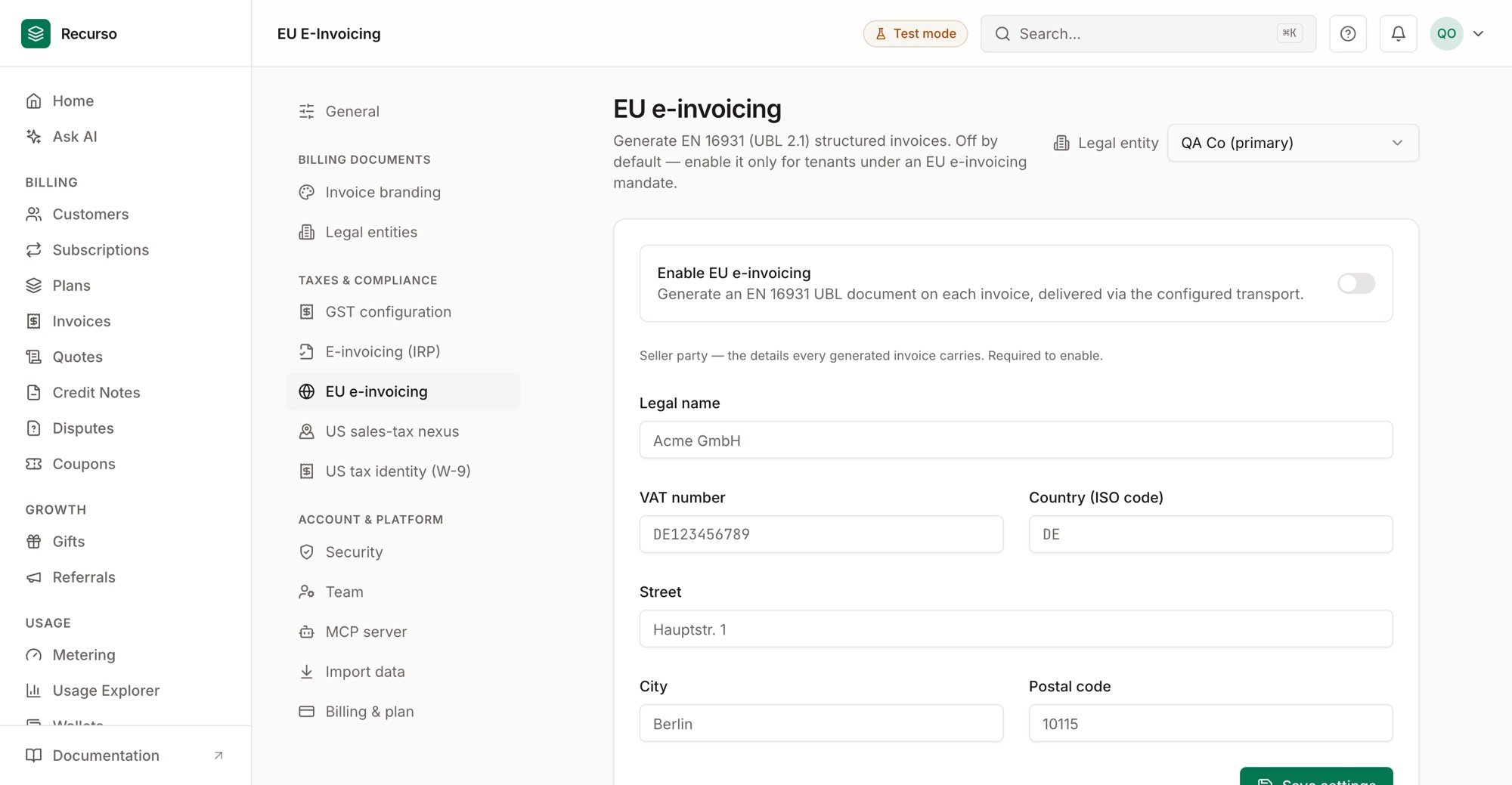
The EU e-invoicing settings page in the Recurso dashboard
Structured e-invoices for the EU
The EU is rolling out structured e-invoicing mandates country by country — public sector (B2G) first, private sector (B2B) on national timelines. A structured e-invoice is not a PDF: it is a machine-readable document following the EN 16931 semantic model, expressed in a syntax and delivered over a network. Recurso generates a fully-structured e-invoice for a finalized invoice:- EN 16931 semantic model — the pan-European standard for the invoice content
- UBL 2.1 syntax — the OASIS Universal Business Language, the Peppol BIS Billing 3.0 default
- Per-tenant opt-in — off by default, because the mandate landscape is fragmented; you enable it only for the workspace and tenants where a mandate applies
- Automatic delivery retries — a transient delivery failure is redriven on a backoff, not lost
EU e-invoicing is isolated from India’s GST e-invoicing (IRN clearance). They are separate compliance regimes with separate configuration — enabling one has no effect on the other. See E-Invoicing (India) for the IRP/IRN flow.
Recurso generates and stores the EN 16931 document today and hands it to a pluggable transport for delivery. Connecting a production Peppol Access Point is a configuration step performed with your chosen provider’s credentials — until that is wired, documents are generated, validated, stored, and retrievable, and the delivery step is exercised by a built-in transport. The generation and retry behaviour described below is unchanged once a live Access Point is connected.
How it works
Generation runs after the invoice is committed — it never blocks or rolls back invoicing. A tenant that has not opted in is a silent no-op.Enable EU e-invoicing
Configuration is a single per-tenant object: the opt-in flag plus your EN 16931 seller identity. You can manage it in the dashboard under Settings → EU e-invoicing, or via the API.Update configuration
Configuration parameters
View current configuration
Automatic generation
Once enabled, Recurso generates an e-invoice for every finalized invoice — no extra API calls.1
Invoice is finalized
When an invoice is committed (via subscription billing or manual finalization), Recurso projects the seller from your EU config and the buyer from the customer.
2
Document is built
An EN 16931 document is generated in UBL 2.1 syntax, with per-rate VAT subtotals reconciled to the invoice total to the cent.
3
Delivery
The document is handed to the transport for delivery to the recipient’s Access Point. On success, the delivery message id and
sent status are stored.4
Stored and retrievable
The document and its delivery status are stored against the invoice.
The buyer party
The buyer is projected from the customer record:- VAT id comes from the customer’s tax id
- Country is normalized to an ISO 3166-1 alpha-2 code (common EU country names are mapped; a two-letter code passes through)
- Name and postal address come from the customer’s billing details
Delivery status and retries
Each stored e-invoice carries a status:
Recurso distinguishes the two ways an e-invoice can fail, and treats them differently:
Delivery failure — retried automatically
Delivery failure — retried automatically
The document is built and stored, but the transport (Access Point) could not be reached — a transient problem. A background worker redrives delivery on an exponential backoff (5 minutes → 15 minutes → 1 hour → 6 hours → 24 hours), re-transmitting the already-generated document. After 5 failed attempts the record is left
failed for manual attention.Generation failure — surfaced for correction
Generation failure — surfaced for correction
The document could not be built — typically a data problem such as a missing buyer VAT id or an invalid country. This will not fix itself on retry, so it is not auto-redriven: the record is left
failed so you can correct the customer data and regenerate. Regenerating replaces the record.Connecting a Peppol Access Point
Delivery to the Peppol network is handled through a pluggable transport. To go live you connect a Peppol Access Point provider (for example a certified service provider) with its credentials; the generation, validation, storage, and retry behaviour above are unchanged — only the delivery hop becomes a live Peppol transmission.Reach out if you are selecting an Access Point provider — the transport is designed so a provider is a configuration step, not a code change.
Best practices
Enable only where a mandate applies
Enable only where a mandate applies
EU e-invoicing is per-tenant and off by default for a reason: mandates differ by country and by B2G vs B2B. Enable it for the tenants and workspaces that need it, rather than globally.
Set a complete seller identity first
Set a complete seller identity first
legal_name, vat_number (with country prefix), and country_code are mandatory to enable. Fill the address fields too — they are recommended for a fully-compliant document.Keep customer VAT ids and countries accurate
Keep customer VAT ids and countries accurate
Most generation failures come from the buyer side — a missing VAT id or an unrecognized country. Validate these at customer creation and keep them current.
Let the worker handle transient delivery failures
Let the worker handle transient delivery failures
A failed delivery is redriven automatically on a backoff. You do not need to retry it yourself; watch for records still
failed after the retry window, which indicate a persistent problem.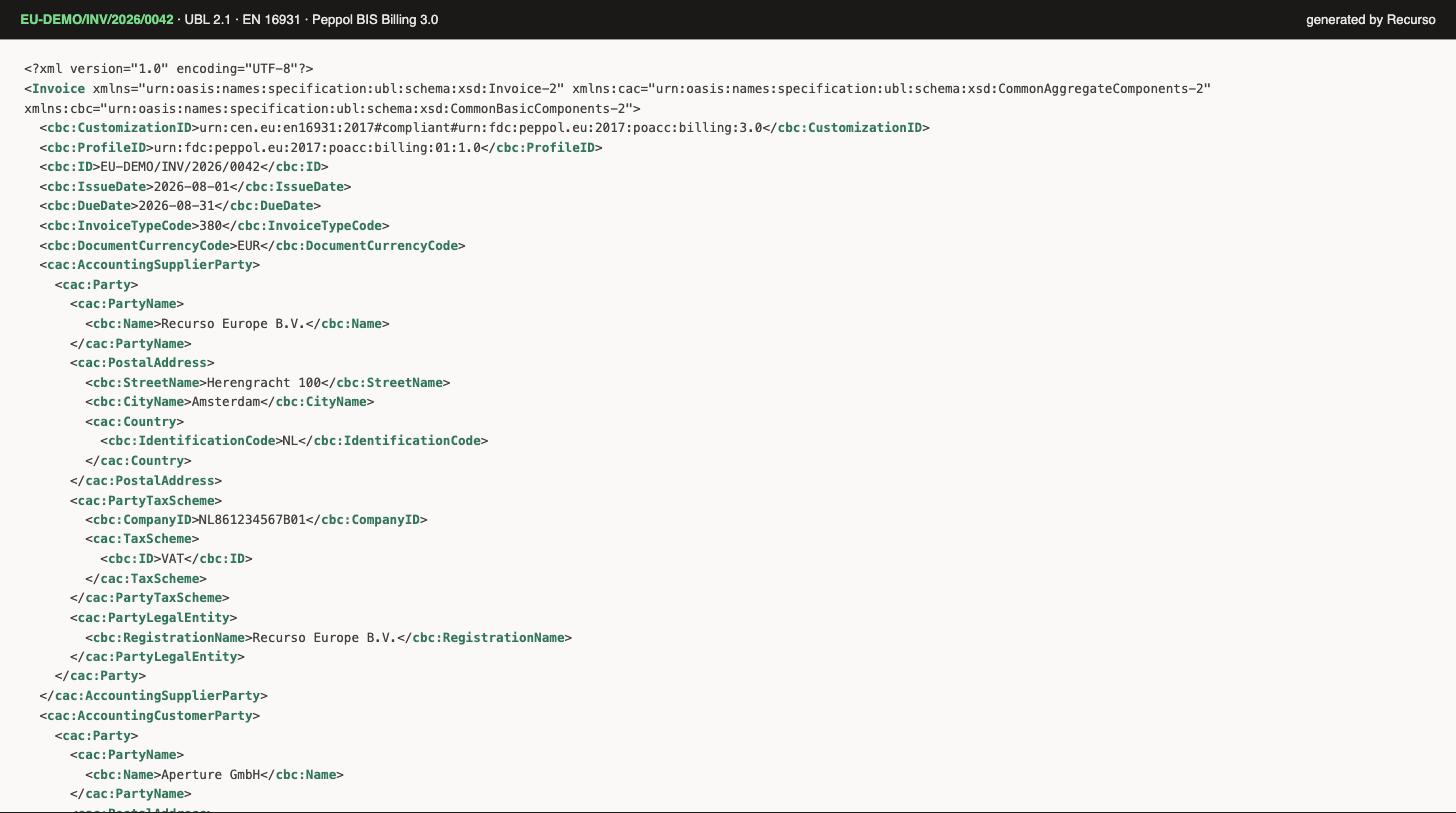
A generated EN 16931 UBL 2.1 invoice (Peppol BIS Billing 3.0)
Next steps
Set up EU e-invoicing
Enable EN 16931 output per tenant
Invoices
The documents these standards shape