

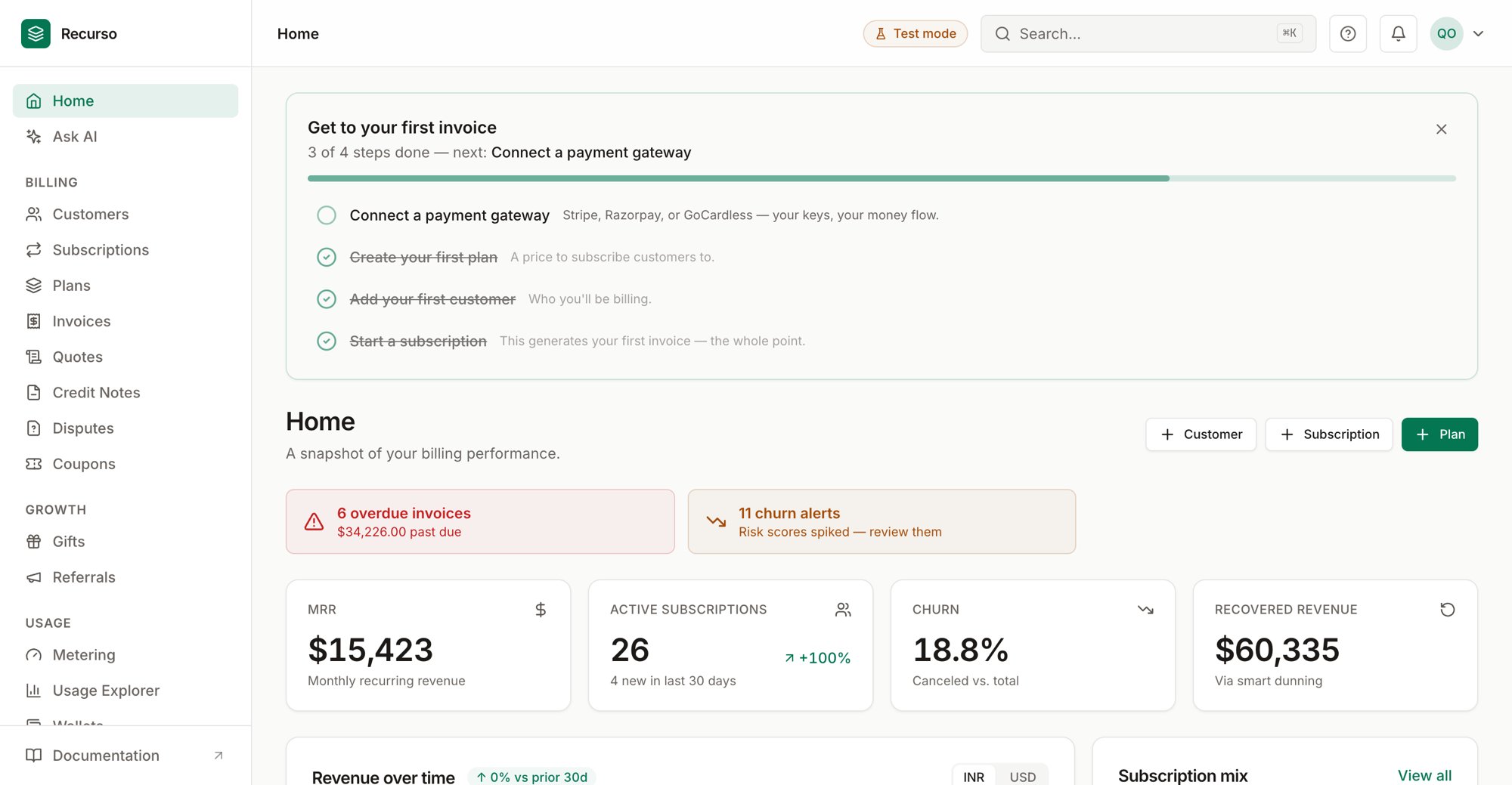
The Recurso dashboard after first sign-in
New to Recurso? Get a local instance running first — clone the repo and run
make demo, or see the Quickstart installation options. Then come
back here. Prefer not to self-host? Recurso Cloud is in early access.What you’ll build
A working US subscription: a USD Pro plan, a customer in California, a Stripe-paid subscription, and an invoice that carries the correct combined state + local sales tax. Set$API_KEY to your key (the demo key is sk_test_12345) and, for a
self-hosted instance, $BASE to http://localhost:8080.
Step 1: Point the seller jurisdiction at the US
Sales tax only engages when the seller is US-based. Set this in your environment before billing US customers (full detail in the US sales tax tutorial):.env
Step 2: Create a USD plan
4900 is $49.00. Because the price is
in USD, Recurso routes payment to Stripe automatically.
Step 3: Add a US customer with a billing address
The billingstate and zip are what drive the sales-tax lookup — always
populate them for US buyers.
Step 4: Start a subscription
Step 5: Read the taxed invoice
Invoices generate automatically at each period end. With TaxJar configured and nexus declared in the buyer’s state, the invoice carries the live combined rate:tax_type field tells you exactly how tax was computed on every invoice: