

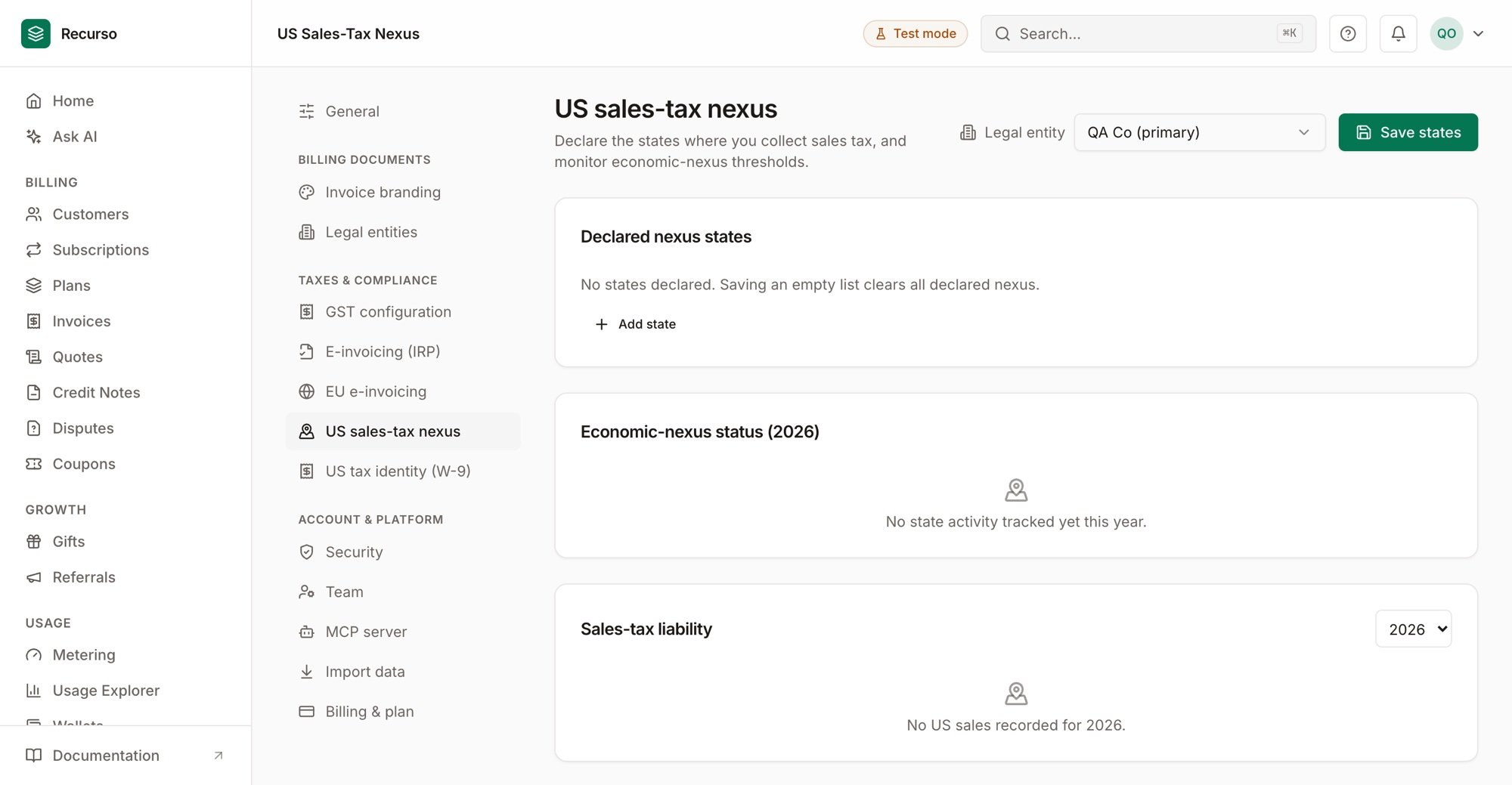
Per-state nexus monitoring in the Recurso dashboard
Nexus and authoritative rates
After South Dakota v. Wayfair, US sales-tax obligations turn on nexus — you must register and collect in a state once you cross its threshold, and there are 45+ states each with its own numbers. Recurso handles the two hard parts:- Nexus monitoring — Recurso tracks your year-to-date taxable sales and transaction count in every state, shows how close you are to each state’s economic-nexus threshold, and auto-establishes economic nexus the moment you cross one, so a registration obligation never sneaks up on you.
- Authoritative rates — US rates are jurisdiction-level (state + county + city + special districts), so exact rates come from a provider. Recurso integrates with both Avalara and TaxJar, and each tenant can bring their own account.
US (or unset). Buyers outside the US are invoiced with no US sales
tax (tax_type: "export").
Recurso never guesses a rate. With no provider configured, US invoices carry 0%
tax, explicitly marked
sales_tax_stub — there are no silently wrong rates. And
tax is collected only where you have nexus (see Nexus), so you
never over-collect in a state you have no obligation in.Choose a tax provider
Recurso resolves rates through a provider two ways — a platform default and a per-tenant bring-your-own connection. A tenant’s own connection always wins over the platform default.Bring your own (per tenant)
Connect a tenant’s own Avalara or TaxJar account through the integrations API — credentials are encrypted at rest and used only for that tenant. This is also available in the dashboard under Settings → Integrations.config carries the account id, license key, and company code.
Platform default (environment)
For a single-tenant or self-managed deployment, configure one provider via the environment. TaxJar takes precedence if both are set:.env
How rates are applied
At invoice time the engine sends the seller’s state and the buyer’s billingstate + zip to the configured provider (Avalara or TaxJar) and applies the
combined jurisdiction rate. Make sure your US customers have billing addresses
with at least state and zip populated.
Rate caching
Lookups are cached in-memory for 24 hours per buyer(state, zip) pair.
Sales-tax rates change rarely, so this keeps provider API spend proportional
to the number of distinct buyer locations — not the number of invoices. The
cache lives for the process lifetime; a restart clears it.
Error handling
- Provider calls time out after 10 seconds and are retried once, and only on 5xx/network failures — auth errors (bad API key) and request-shape errors are never retried.
- A provider failure never blocks invoice generation (see the matrix below).
Behavior Matrix
Every US invoice records how its tax was computed intax_type:
Nexus Configuration
Recurso models nexus natively: you declare the US states where you’re registered to collect sales tax, and Recurso collects only there. A sale to a buyer in a state you haven’t declared is invoiced at 0% with an auditable note —No sales-tax nexus in <ST> — not collected (tax_type: no_nexus).
Manage your nexus states with the settings endpoints (owner/admin for dashboard
users; API keys always pass):
nexus_type is physical (office / employees / inventory), voluntary
(registered by choice), or economic (a threshold was crossed — see below);
it defaults to physical.
How the native gate interacts with TaxJar
Native nexus and the provider are both gates — a sale is taxed only where both allow it:- You’ve declared at least one nexus state: Recurso collects only in your
declared states; buyers elsewhere get
no_nexus(0%). Where you do have nexus, TaxJar (if configured) computes the exact rate — and can still independently return 0% for a specific exempt address (no nexus in buyer state per provider). - You’ve declared no nexus states: the native gate is off for backward
compatibility — tax falls through to TaxJar’s own nexus configuration (or the
0%
sales_tax_stubif TaxJar isn’t configured). This is the pre-nexus behavior.
Beyond manually declared
physical / voluntary nexus, Recurso tracks
economic-nexus thresholds ($100k / 200 transactions, varying by state) from
your year-to-date sales and transaction counts, and auto-establishes economic
nexus when you cross one. Monitor per-state proximity with
GET /v1/settings/tax/nexus/status — see the
US sales tax setup tutorial and the
nexus status endpoint.Threshold alerts
Recurso doesn’t just establish economic nexus on a crossing — it tells you. A daily job emails your workspace owner/admin when a state’s year-to-date activity approaches (≥80% of the threshold) and again when it crosses, so a registration obligation never passes unnoticed. Each state+level is alerted at most once per calendar year (a state that stays crossed isn’t re-alerted daily), and the alert carries the state’s YTD sales, transactions, and the threshold.“Crossed” alerts fire only for economic nexus established this calendar year
— an already-established state isn’t re-alerted every January. Declared
physical/voluntary nexus is never alerted (you set it yourself).
Customer exemptions
A tax-exempt customer (resale, government, non-profit) carries an exemption on their record: an exemption certificate number and a provider entity-use code (e.g. AvalaraA = federal government). Set it in the dashboard on the
customer, or via the API:
sales_tax_exempt (distinct
from a no-nexus $0 line), so exempt sales are unambiguous in your liability
report and audit trail. Exempt lookups bypass the jurisdiction rate cache, so
one exempt buyer never affects another’s rate.
Liability report
GET /v1/settings/tax/liability returns per-state figures for a filing period —
gross sales, taxable, exempt, and non-taxable (no-nexus /
below-threshold) sales, tax collected, invoice count, and whether you have nexus
in each state. The three sale buckets partition gross, and a state collecting
tax without declared nexus is surfaced.
Registrations
Nexus tells you where you must collect; registrations record where you actually can. Track a registration number and status (registered / pending /
not_registered) per state:
Testing
PointTAXJAR_API_URL at TaxJar’s sandbox to test the full path without
live rates:
.env
tax_type should be sales_tax.
Other Jurisdictions
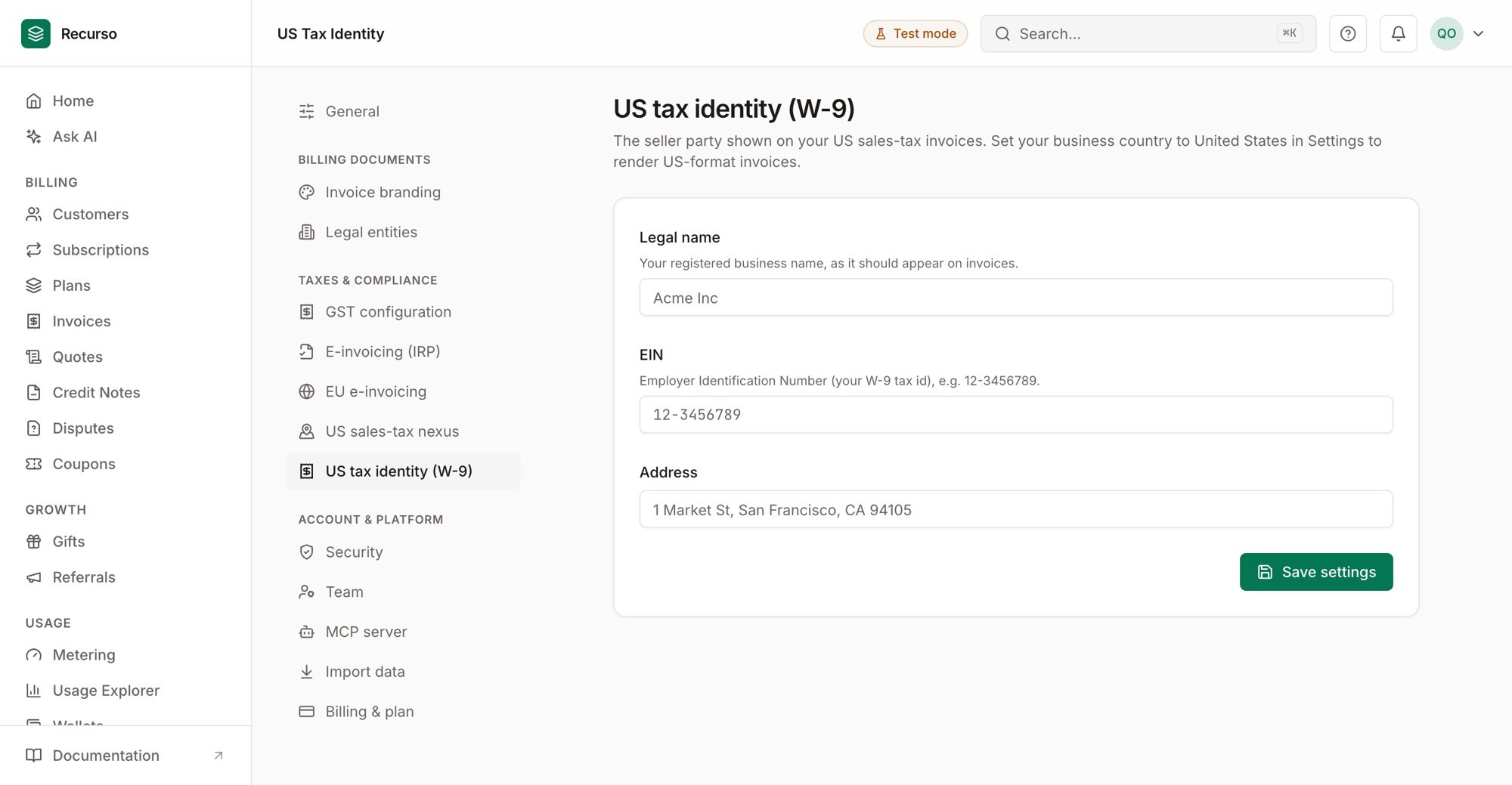
US tax identity (W-9) in Settings