

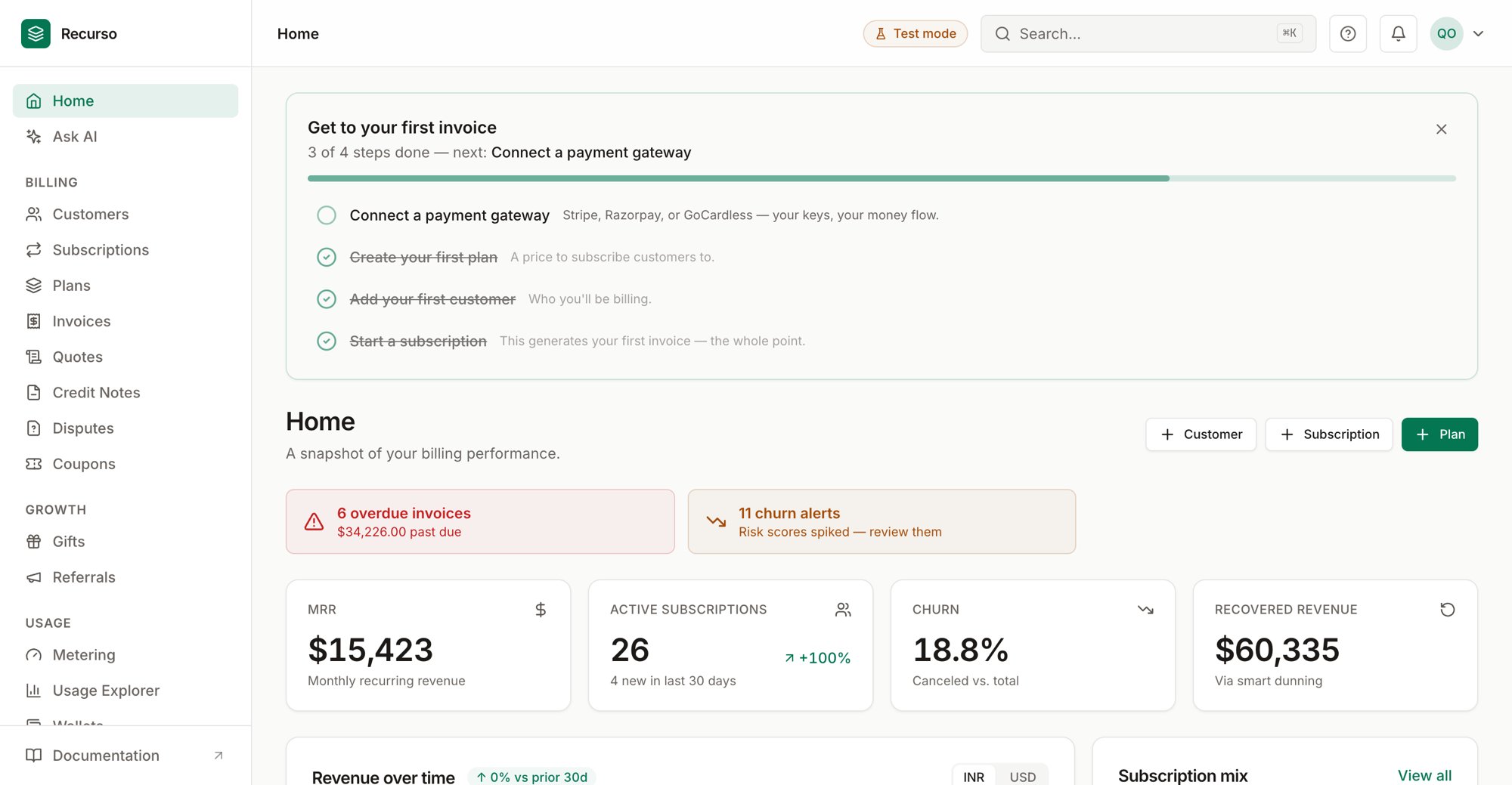
The Recurso dashboard
What this guide covers
The Recurso dashboard at app.recurso.dev is the operator console for your billing: catalog, customers, money movement, revenue reporting, and settings. Every screen is backed by the same API the SDKs use, so anything you do here you can also automate. This guide documents every section of the dashboard — what it shows, the actions you can take, and how it connects to the rest of the product — plus task-oriented workflows that span several sections.New here? Start with the Overview for the home screen,
then follow Onboard your first customer
to bill someone end to end.
How the dashboard is organized
Overview
Your billing at a glance — MRR, active subscriptions, recent activity.
Customers
Everyone you bill, their subscriptions, invoices, and payment methods.
Plans & products
Your catalog: plans, prices, usage charges, and multi-product bundles.
Subscriptions
Active, trialing, and canceled subscriptions and plan changes.
Invoices
Every invoice, its status, and its line items.
Payments & mandates
Offline payments, virtual accounts, and UPI auto-debit mandates.
Coupons
Percentage and fixed-amount discounts.
Quotes
Sales quotes that convert into subscriptions.
Credit notes
Adjustments and refunds against invoices.
Gifts & referrals
Gift cards and referral rewards.
Wallets
Prepaid balances that drain before the gateway is charged.
Metering & usage
Billable metrics, usage events, and per-subscription usage.
Collections
The recovery worklist — failing invoices, failure reasons, and manual controls.
Dunning
Failed-payment recovery and smart-retry campaigns.
Churn risk
Customers at risk and open churn alerts.
Cancel flows
Retention save-offers on cancellation.
Disputes
Chargebacks and how to respond.
Legal entities
Multiple companies in one workspace — separate ledgers, invoice series, and tax identities.
Organizations
Multi-entity grouping and consolidated reporting.
Ledger & audit
The double-entry ledger and the append-only audit log.
Finance reports
MRR waterfall, revenue recognition, trial balance, and more.
Notifications
Delivery of emails and in-app alerts.
Ask AI
Ask questions about your billing data in natural language.
Integrations
Connect your own payment gateway and accounting system.
Developers
API keys and outbound webhooks.
Team & security
Members, roles, sessions, and your profile.
Settings
Company details, GST, e-invoicing, and tax nexus.
Customer portal
The self-service portal your customers see.