

What This Guide Covers
Coming from Stripe Billing? The mental model is close enough that most of your integration maps one-to-one. This guide covers three things: how Stripe objects translate to Recurso, what’s genuinely different, and how to bring your live subscribers over with thecmd/import tool — idempotently, with a dry run, and
without double-billing anyone mid-cycle.
Concept Mapping
What’s Different
- Self-hosted — Recurso runs on your infrastructure (Go + PostgreSQL, optionally TigerBeetle). Your billing data lives in your own database.
- No percentage fee — there’s no per-transaction billing fee taken by Recurso. You pay gateway fees (Razorpay/Stripe) and your own hosting.
- Built-in double-entry ledger — every billing event posts to a ledger with a first-class reconciliation report.
- India compliance is native — GST (CGST/SGST/IGST), e-invoicing via the IRP, and RBI e-mandates are first-class, not add-ons. See GST Invoicing.
- Gateways stay yours — Recurso orchestrates billing but charges through your own Razorpay or Stripe account, so you keep your processor relationship.
Migrating Your Subscribers
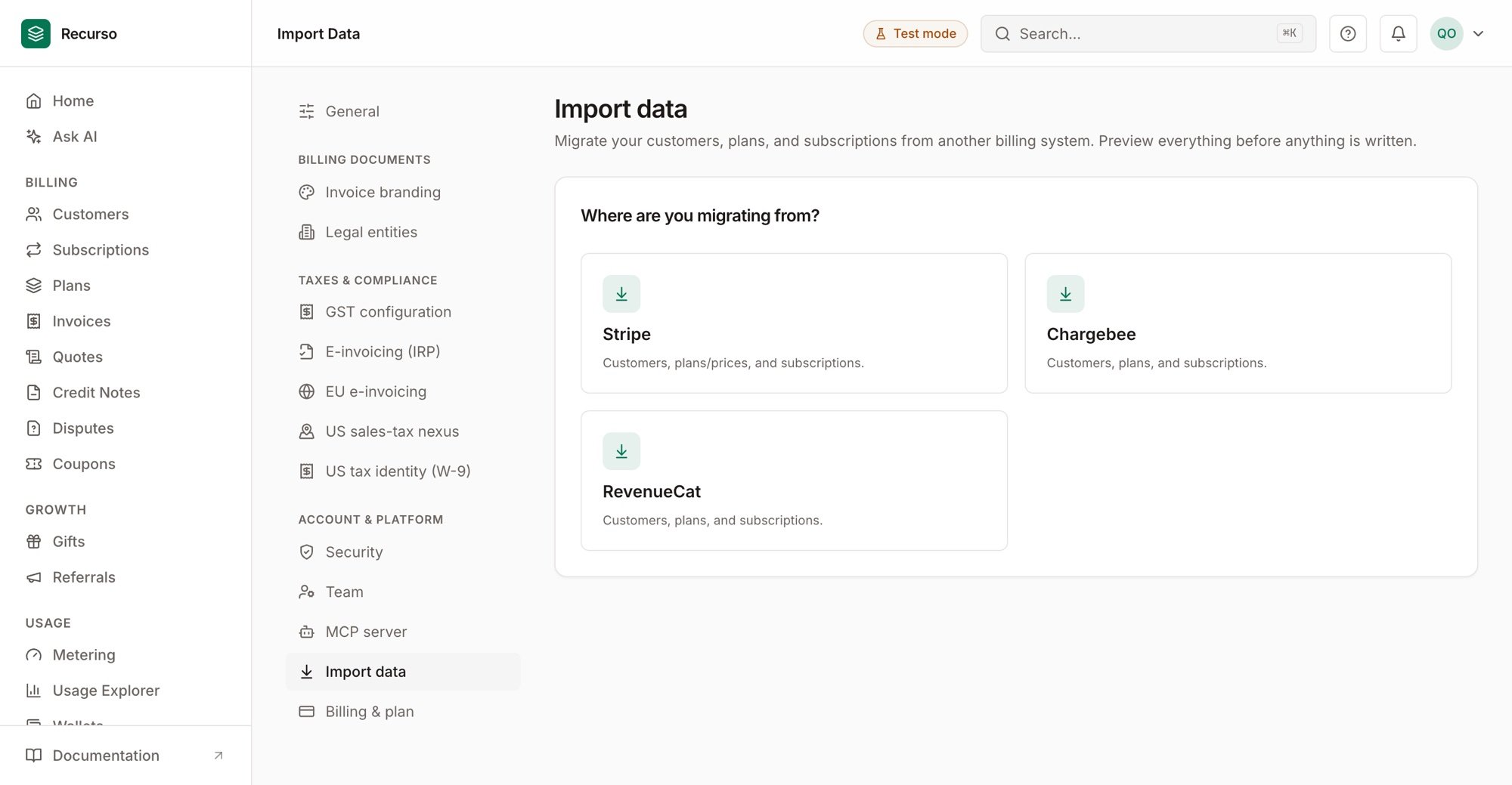
The Import wizard in Settings → Import data
cmd/import tool in the main repository loads plans, customers, and
subscriptions directly into the database without generating invoices or
calling payment gateways. Each imported subscription keeps its original
billing period, so Recurso only issues the next invoice at
current_period_end — migrated customers are never double-billed mid-cycle.
Step 1: Export from Stripe
Pull your active subscriptions, their customers, and the products/prices they’re on (via the Stripe Dashboard export or the Stripe API). You’ll shape this into Recurso’s import format next. Keep each subscription’s Stripe ID — it becomes theexternal_id that makes the import idempotent.
Step 2: Build the import file
Recurso reads a single JSON file (or three CSVs). Amounts are in minor units (paise/cents). Match Stripe’s price to a plancode, and use each customer’s
email as the join key.
data.json
The importer matches plans by
code, customers by email, and subscriptions
by external_id (your Stripe subscription ID). Set external_id to the
Stripe ID so re-running the import skips anything already migrated.
Valid subscription
status values: active, trialing, paused, canceled,
past_due, unpaid. Timestamps are RFC 3339 (e.g. 2026-06-15T00:00:00Z).
Step 3: Dry-run first
The dry run validates the whole file and reports exactly what would happen — writing nothing. It reports every problem in one pass, so you fix your export once instead of one error at a time.Find your tenant UUID in the dashboard under Settings, or in the response
from
POST /auth/register. The target tenant must already exist.Step 4: Import for real
N created, N skipped (already exist), N failed —
and, because it’s idempotent, a partial failure is safe to fix and re-run: what
already imported is skipped.
Step 5: Prove it — the Compare gate
Before pointing billing at Recurso, re-run your export through the Compare gate. It diffs the export against your live Recurso data — read-only — and reports, per record:- Coverage — every importable source record exists in Recurso
- Fidelity — plan amount, currency, and interval match exactly; customer identity intact
- Continuity — billing resumes exactly where Stripe stops: a subscription whose period end drifted more than an hour is flagged as the double-billing / billing-gap risk it is
"ready": true means zero issues — safe to cut over. The same gate runs from
the dashboard’s Import wizard (“Before you cut over: run the Compare gate”).
After Migrating
1
Point webhooks at Recurso
Register your endpoint with
POST /v1/webhooks and verify the
X-Recurso-Signature header. See Webhooks.2
Configure tax
Set GST (India) or TaxJar (US) so the first Recurso invoice is compliant.
See GST Invoicing and
US Sales Tax.
3
Reconcile
After the first renewal cycle, run
GET /v1/finance/reconciliation to confirm the ledger, invoices, and gateway
agree.