

How revenue is recognized
Subscription revenue is earned over the service period, not when it’s invoiced. Recurso defers revenue on invoice and recognizes it month by month under ASC 606 — giving you a recognition waterfall and a deferred-revenue rollforward your auditor can use.Concept + posting detail: Revenue Recognition and
Ledger.
Prerequisites
- Plans with correct billing intervals — the recognition schedule follows them.
- An API key for the API calls below, or dashboard access to Finance.
Step 1: Nothing to switch on — it follows your plans
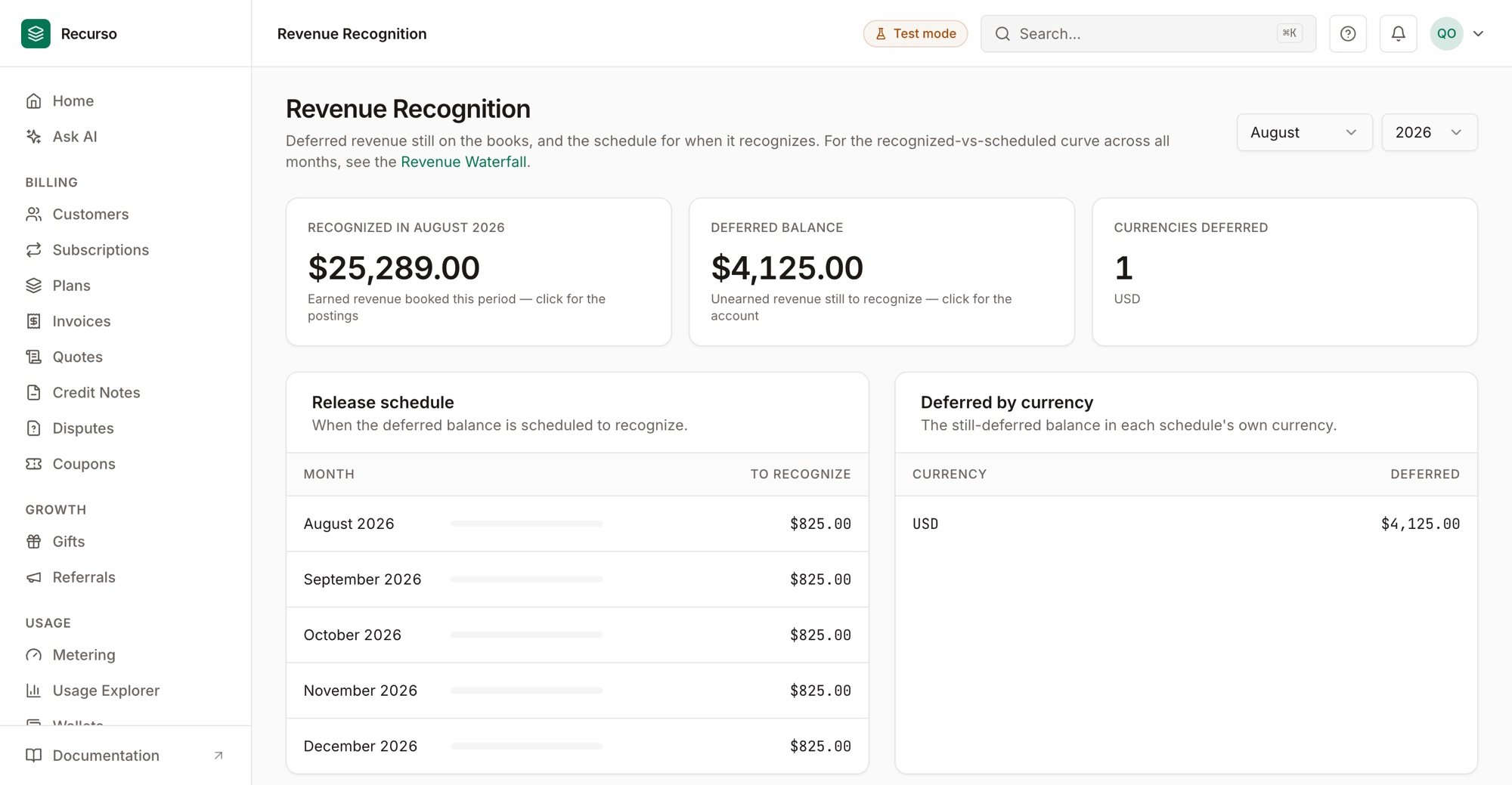
Revenue Recognition — recognized this period, deferred balance, and the release schedule
Step 2: Read the recognition report
Pull the period’s recognized revenue, the deferred balance, and the release schedule. In the dashboard it’s Finance → Revenue recognition; or via the API:/finance/revrec/waterfall) and the deferred rollforward
(/ledger/deferred-rollforward) give the auditor views.
Step 3: Reconcile against the ledger
Recognition posts double-entry legs — deferred revenue down, recognized revenue up — so the numbers tie to the ledger and the month-end close.Verify your setup
1
Deferred revenue appears on invoice
Invoicing an annual plan defers the revenue rather than recognizing it all up
front.
2
It releases over time
Each period recognizes its slice; the deferred balance rolls forward correctly.
3
It ties to the ledger
Recognized + deferred reconciles against the ledger’s balances.