

What a usage alert is
A usage alert fires when a customer’s metered usage crosses a threshold in the current billing period — a bill-shock guardrail for high-usage accounts. It fires once per period (no repeat spam) and is delivered by webhook and email.Requires metering to be set up — see
Set up usage-based SaaS. Concept detail:
Usage alerts.
Prerequisites
- Metering set up with a billable metric ingesting usage.
- A subscription to attach the alert to.
- A registered webhook endpoint to receive alert deliveries.
- An API key for the API calls below, or dashboard access.
Step 1: Create the alert
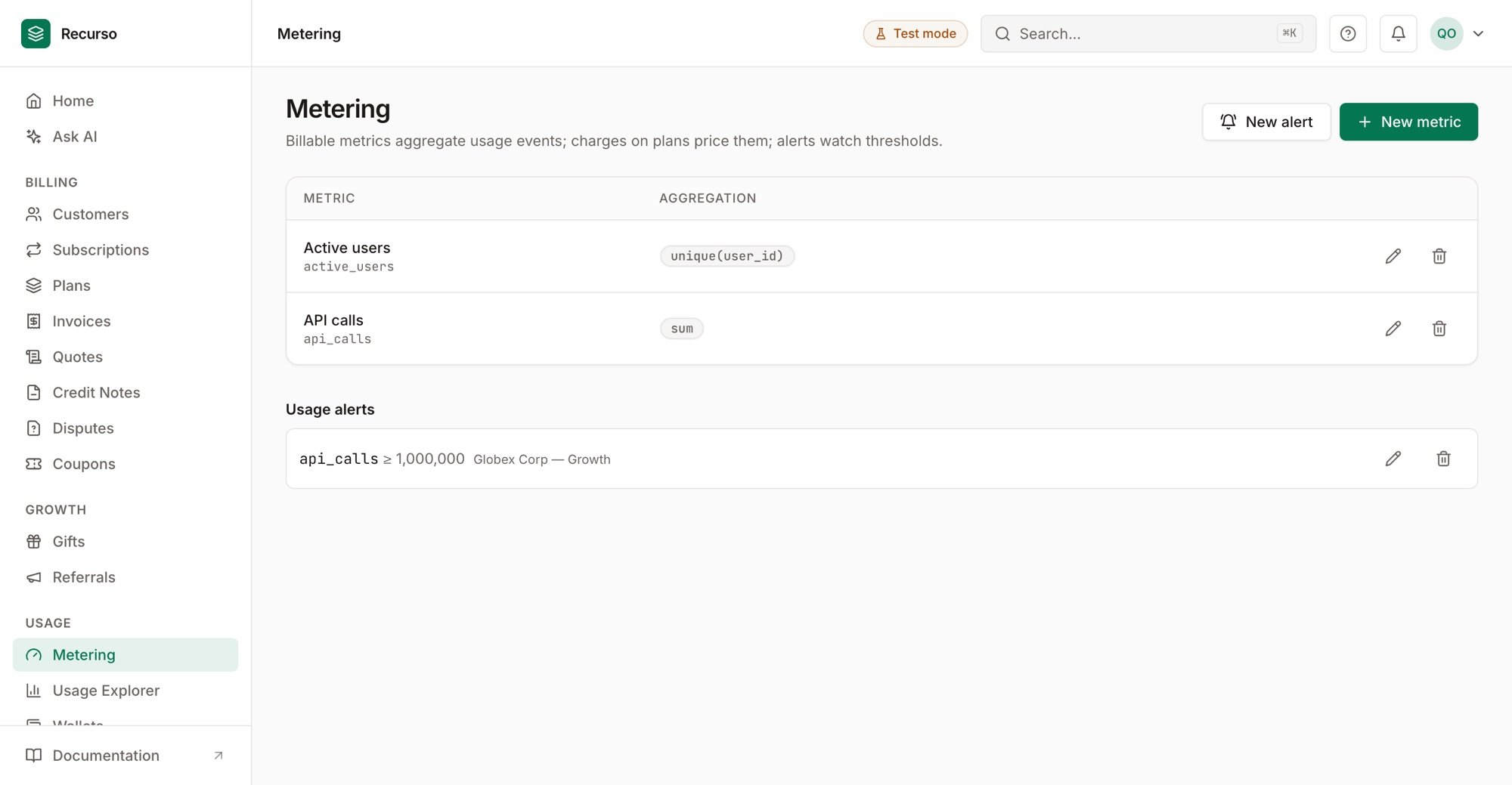
Metering — billable metrics and the usage-alert thresholds that watch them
Step 2: Handle the webhook
When usage crosses the threshold, Recurso sends a webhook so your app can react (notify the customer in-product, throttle, or upsell). Configure the endpoint in webhooks setup and read the payload shape in Usage alerts.Step 3: Confirm the once-per-period behavior
An alert fires a single time per billing period. It resets at the period boundary, so the customer isn’t re-notified for continued usage in the same cycle. To re-aim an alert, edit its threshold (PUT /v1/usage-alerts/{id}, or the
pencil action in the dashboard’s Metering page). Editing resets the
once-per-period lock, so the new threshold can fire in the current period. The
subscription and metric are the alert’s identity — to change those, delete and
re-create.
Verify your setup
1
The alert is attached
The alert appears on the subscription with its metric and threshold.
2
Crossing the threshold fires it
Ingesting usage past the threshold sends the webhook + email once.
3
It doesn't repeat
Further usage in the same period does not re-fire the alert.