

How dunning recovers payments
When a payment fails, dunning recovers it — smart retries (which learn the best retry timing) plus multi-step reminder campaigns (escalating emails). Together they cut involuntary churn without you chasing invoices.See Dunning for the KPIs and arm-performance detail, and
Recover a failed payment for the
end-to-end flow.
Prerequisites
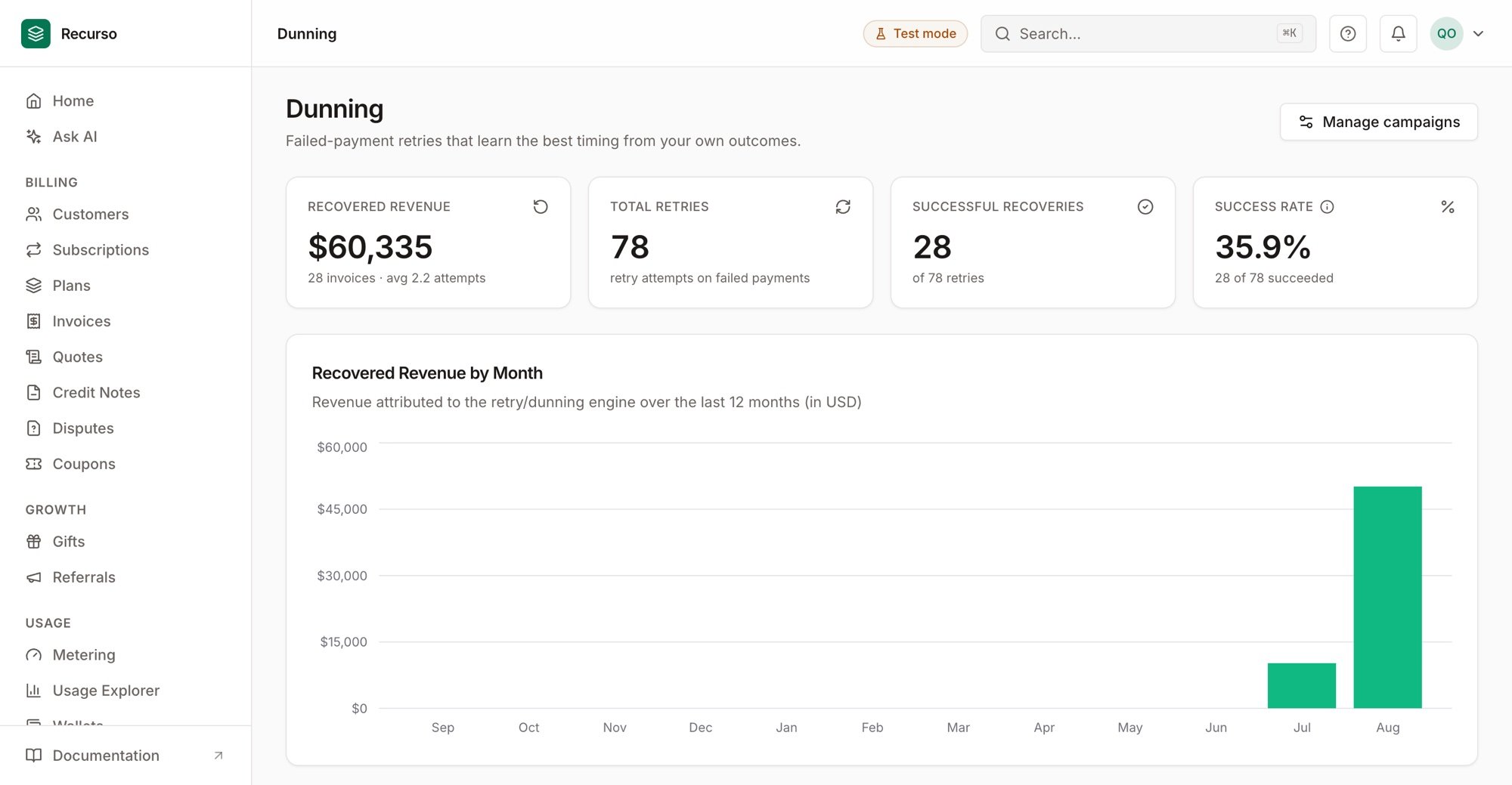
Smart Dunning — recovered revenue, retries, and success rate
- A payment gateway is connected (failures come from it).
- Email delivery is configured (reminders go out by email).
Step 1: Create a dunning campaign
A campaign is an ordered set of steps, each firing after a delay when an invoice is past due. In the dashboard, go to Dunning → Campaigns → Create a campaign, then add steps (delay + message). Steps escalate — a gentle nudge, then firmer reminders, then a final notice.Step 2: Let smart retries do the timing
Alongside campaigns, the smart-retry engine reschedules the actual charge attempt on the timing most likely to succeed for that failure type, and attributes recovered revenue so you can see what’s working (Dunning → Smart Dunning).Step 3: Watch recovery
The Dunning dashboard shows recovered revenue by month, arm performance by context, and recent retry history — your proof that involuntary churn is being contained.Verify your setup
1
A campaign is active
Your campaign appears under Dunning → Campaigns with its steps in order.
2
A past-due invoice enters dunning
When an invoice goes past due, a retry is scheduled and the first campaign
step is queued.
3
Recovery shows up
A recovered payment marks the invoice paid and appears in the recovered-revenue
view.