

What the close pack returns
Month-end close in Recurso is a single call that returns everything finance needs to close the period: the trial balance, a billing-to-ledger reconciliation, the deferred-revenue rollforward, a GL export pointer, and a ready-to-close verdict. No spreadsheet rebuild.The pack builds on the double-entry ledger and
revenue recognition. Walkthrough:
Run your monthly close.
Prerequisites
- An API key for the API calls below, or dashboard access to Finance.
- Billing activity in the period — the pack reconciles invoices and payments against the ledger.
Step 1: Make sure the period’s activity is settled
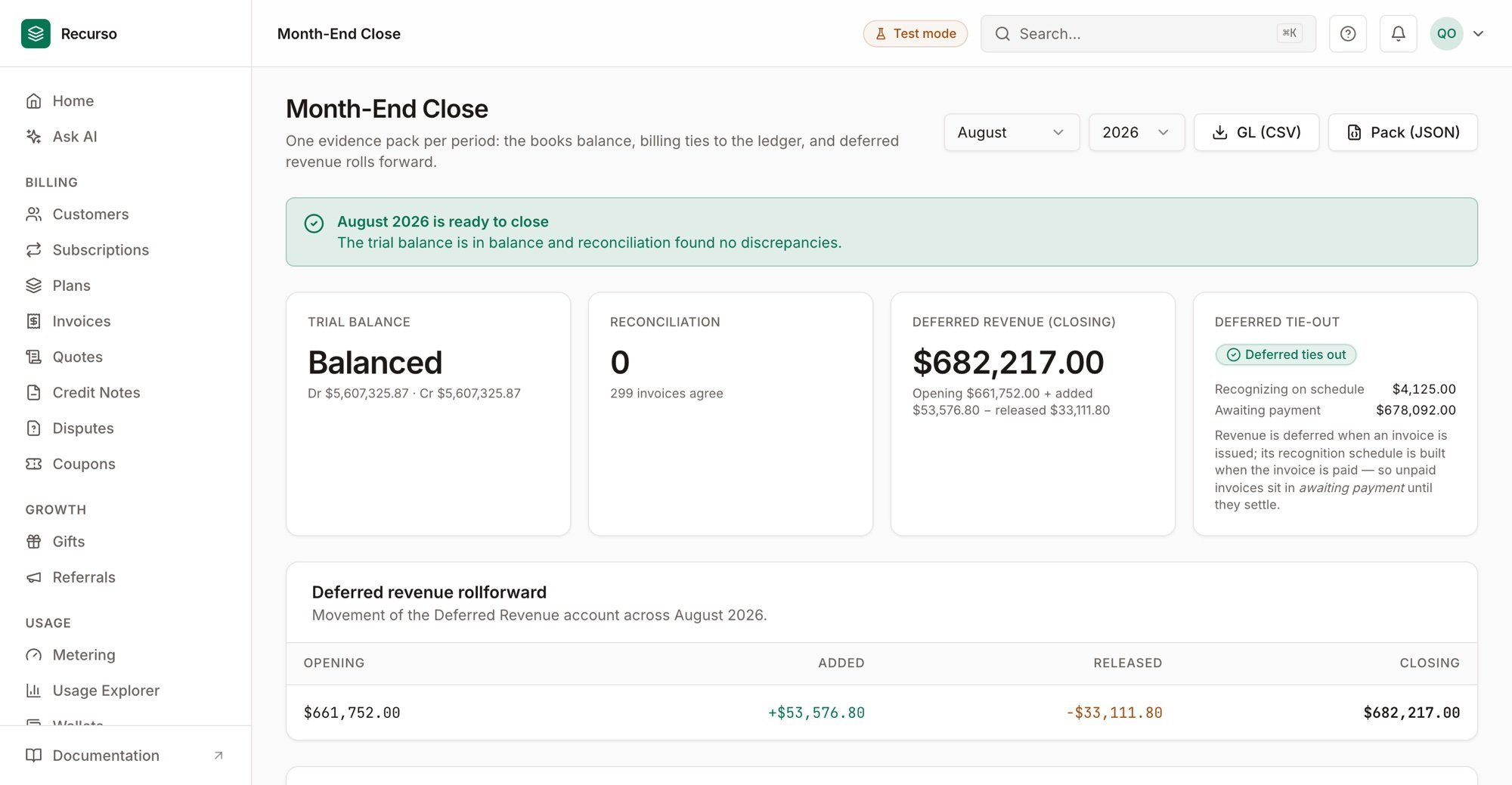
Month-End Close — one evidence pack: balanced trial balance, zero-discrepancy reconciliation, and the deferred-revenue rollforward
Step 2: Pull the close pack
In the dashboard, go to Finance → Month-end close and select the period; or via the API:Step 3: Export the GL
Export the general ledger for the period (/ledger/export) to hand to your
accounting system (QuickBooks/Xero/Tally/NetSuite), or rely on the
accounting sync to push it for you.
Verify your setup
1
The trial balance ties
Debits equal credits for the period.
2
Reconciliation is clean
Billing reconciles to the ledger with zero (or explained) discrepancies.
3
The verdict says ready
The close pack reports the period as ready to close.