

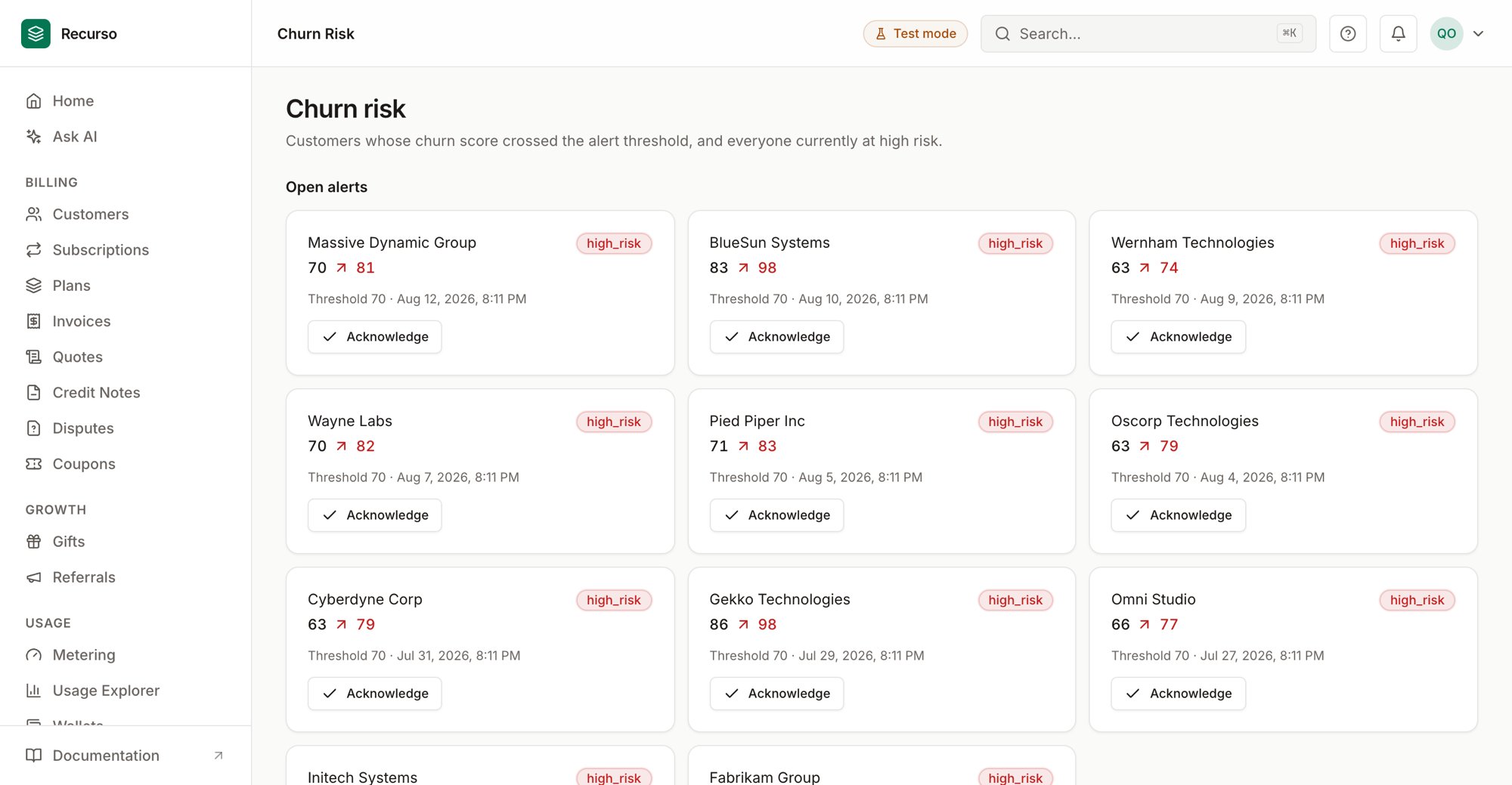
The Churn risk page in the Recurso dashboard
What churn risk shows
Churn risk (in the left nav) surfaces customers a scoring model predicts are likely to cancel. The page has two sections:- Open alerts — cards raised when a customer’s churn score spikes past a threshold.
- High-risk customers — everyone currently scored above the risk threshold, as a table.
Scores are produced by a churn model; the dashboard reads and acts on them.
Customer names are resolved where possible, with a short id as a fallback.
Open alerts
An alert is created when a customer’s churn score crosses the alert threshold. Each alert card shows:- The customer (name, or short id).
- The score movement — previous score → new score, with the new score highlighted.
- The alert type badge.
- The threshold that was crossed and when the alert was raised.
Acknowledge an alert
Click Acknowledge on a card to clear it from the open list once you’ve acted on it (for example, reached out to the customer or triggered a save offer). Acknowledged alerts drop off the board immediately.Acknowledging is a triage action — it records that the alert was seen and
handled. It doesn’t change the customer’s underlying score.
High-risk customers
The table lists everyone currently above the risk threshold:
Unlike alerts, this list isn’t acknowledged away — it always reflects who is at
risk right now, so it’s the place to prioritize retention outreach.
What to do next
High churn risk is the signal; the retention tooling is elsewhere:Cancel flows
Present a save offer when an at-risk customer tries to cancel.
Coupons
Discounts you can extend to win a wavering customer back.