

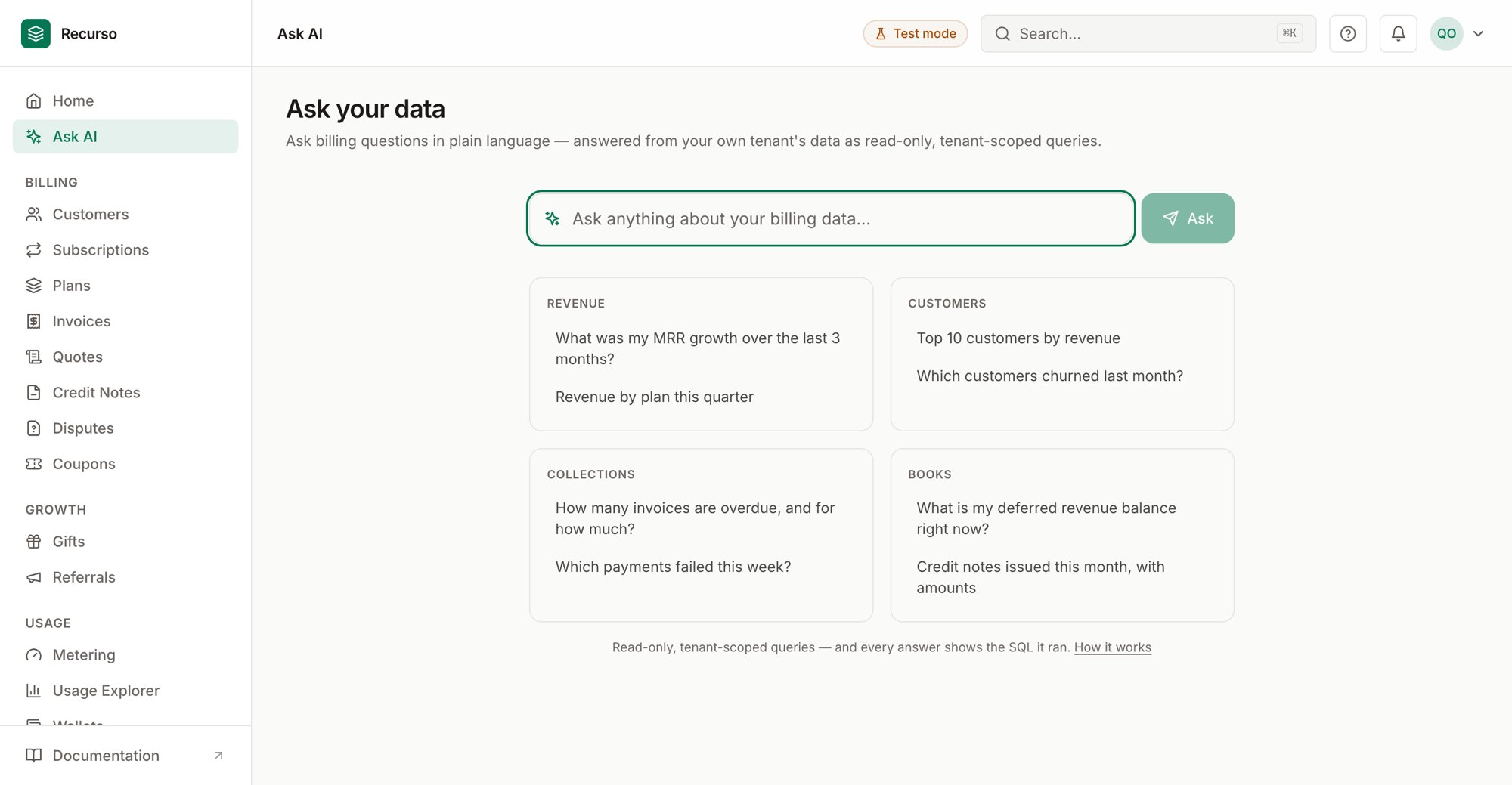
Ask AI in the Recurso dashboard
What Ask AI does
Ask AI (the Ask your data page, at/ask) lets you ask billing questions in
plain English. Recurso translates your question into a read-only, tenant-scoped
query, runs it against your own data, and shows the result — so every answer is
grounded in your workspace, never anyone else’s.
Answers are read-only. Ask AI only reads your billing data to answer a question;
it never changes anything.
Asking a question
1
Type your question
Enter a question in the box — for example “Which customers churned last
month?” — and click Ask. While it works, the button reads Thinking….
2
Or pick an example
Chips below the box offer starter questions you can click to run immediately,
such as:
- What was my MRR growth over the last 3 months?
- Which plan has the most active subscriptions?
- How many invoices are overdue, and for how much?
3
Read the result
Row-shaped answers render as a table — and when the shape fits (a
time series or a small categorical breakdown), Recurso also draws a
chart, with a Chart/Table toggle. Single values render as text. Expand
Show the SQL it ran to see the exact query Recurso executed.
4
Keep, re-run, or export
Every answer is kept as a running history on the page (stored in your
browser), so a reload or a return visit keeps your results. Each answer can
be re-run, downloaded as CSV, or removed; Clear history empties
the thread.
Notes
- Questions run as read-only, tenant-scoped queries — results only ever cover your own account’s data.
- History is stored locally in your browser, not on the server.
- If a question can’t be answered, you’ll be asked to rephrase it.
- Ask AI depends on a GenAI provider being configured for the deployment. If it isn’t enabled, the page tells you so instead of returning a result.
Related
Finance reports
Prebuilt MRR, revenue recognition, and trial-balance reports.
Overview
Headline metrics for your billing.