

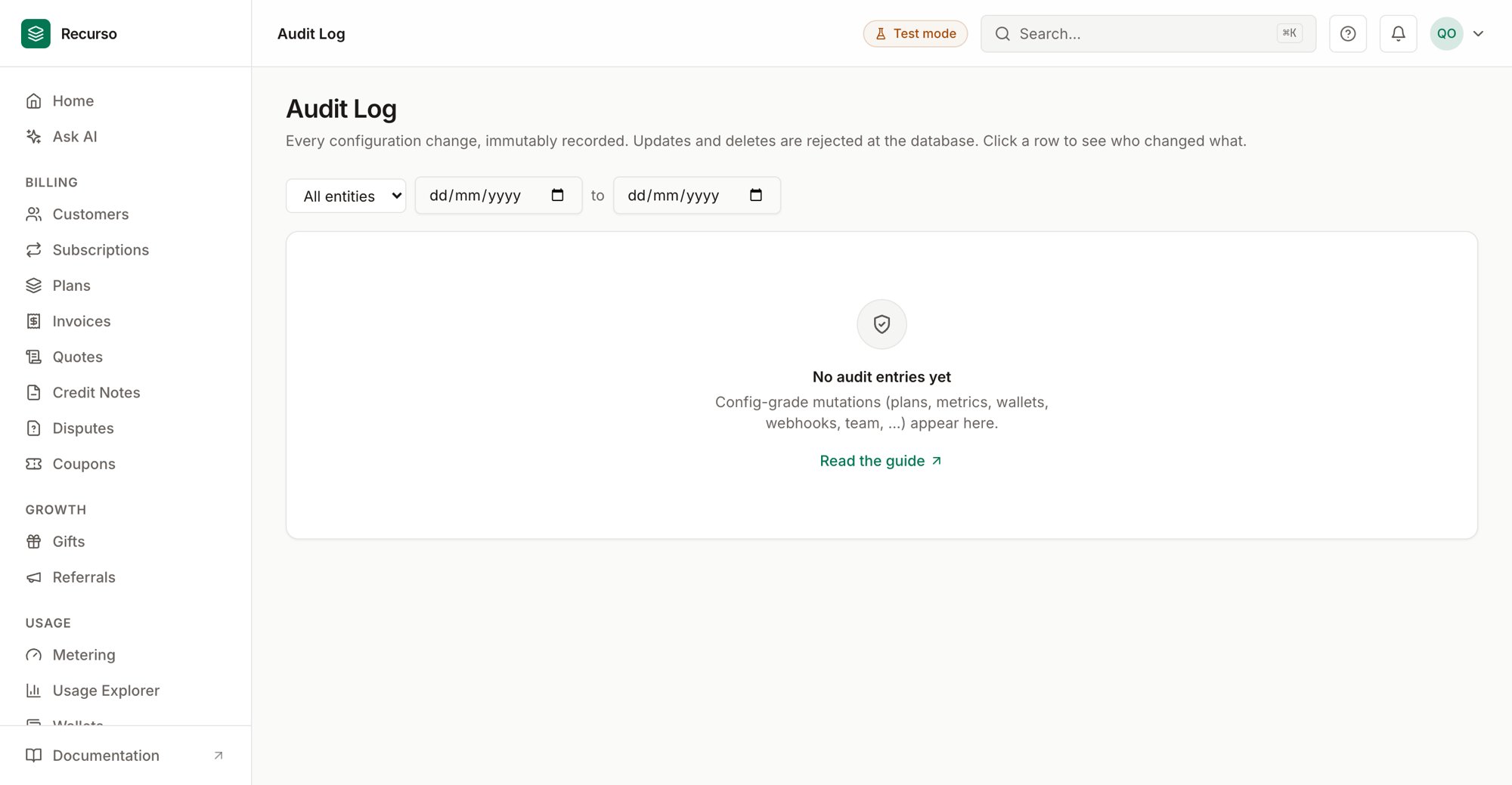
The ledger & audit view in the Recurso dashboard
Two integrity screens
Two screens back the integrity of your books:- Financial Ledger — the double-entry ledger of every posted transaction, browsable by account, with each account’s running balance.
- Audit Log — an append-only trail of every config-grade change made in the workspace.
Financial Ledger
The Financial Ledger shows double-entry transactions and account balances. PostgreSQL is the authoritative ledger; TigerBeetle, when enabled, is an optional mirror (see Reconciliation for the cross-check).1
Select an account
The Select account dropdown lists your chart of accounts. Each entry
shows the account name and its numeric code — for example
Accounts Receivable (1100). Every customer has their own AR sub-account,
so those entries are additionally labelled with the customer name to tell
them apart. The first account is selected automatically on load.
2
Read the current balance
The Current Balance card shows the selected account’s balance in its
own currency.
3
Review the entries
The table lists that account’s ledger entries (most recent first,
up to 50).
Because entries are double-entry, every transaction names both a debit and
a credit account — the two sides always move together. To confirm the whole
book balances, use the
Trial Balance report.
Posting codes
Every ledger transaction carries a posting code — what the movement is, in words. The dashboard shows these as labels; the full glossary:Audit Log
The Audit Log records every configuration change, immutably. Updates and deletes are rejected at the database, so the trail can’t be rewritten — it’s append-only by design. Config-grade mutations across the product land here: plans, metrics, wallets, webhooks, team changes, and more. Each row shows:Filter by entity
Use the All entities dropdown in the toolbar to narrow the log to a single entity type (the options are drawn from the entity types present in the log). The view loads the most recent entries (up to 200).Only successful config-grade mutations are recorded. Day-to-day billing
activity (individual invoices, payments) is tracked in its own screens, not
the audit log.
Related
Finance reports
Trial balance, reconciliation, revenue recognition, and more.
Team & security
Members, roles, and sessions — the actors behind audit entries.
Posting detail
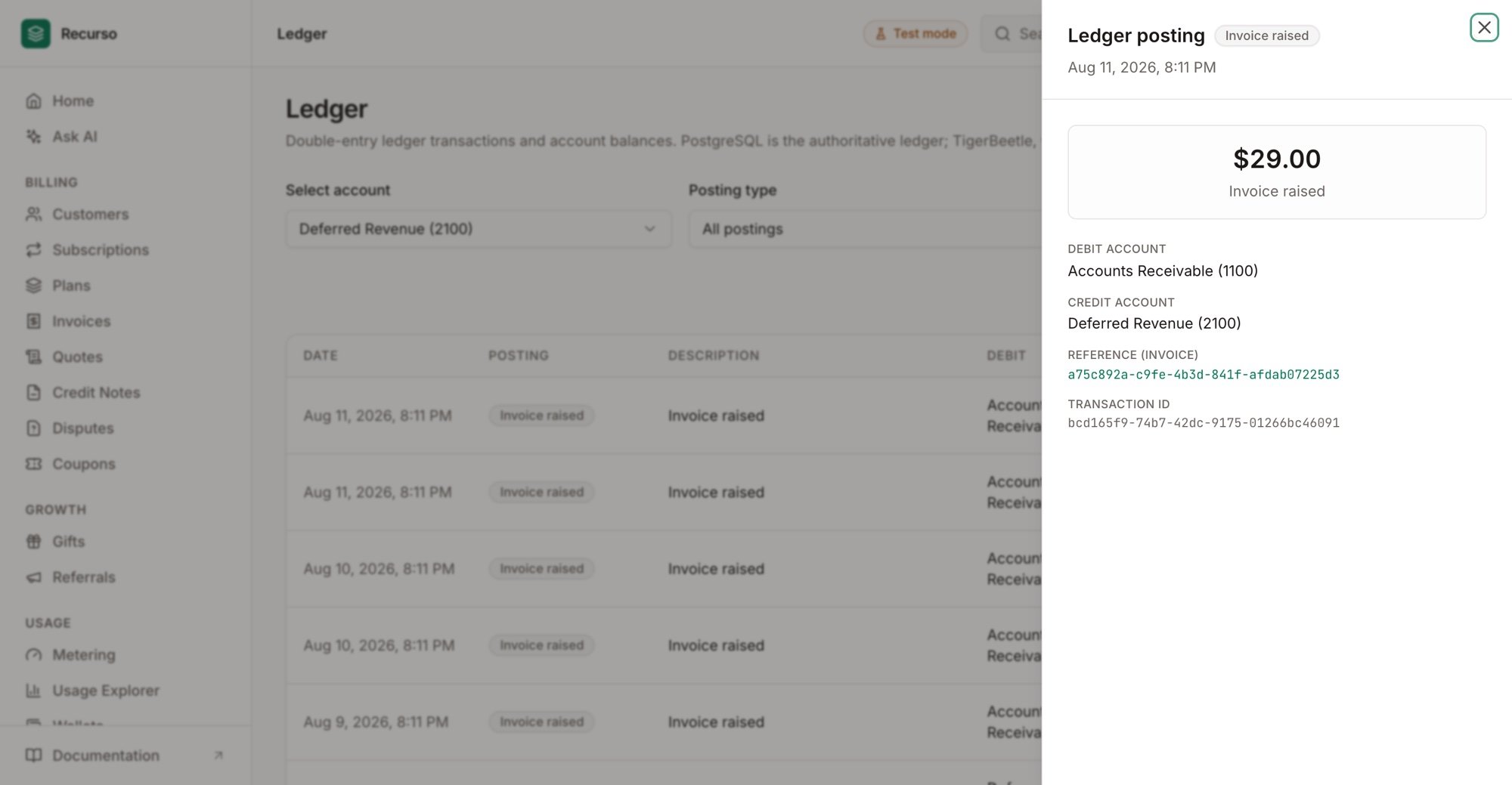
A single posting: both legs, the invoice/payment reference, and the transaction id