

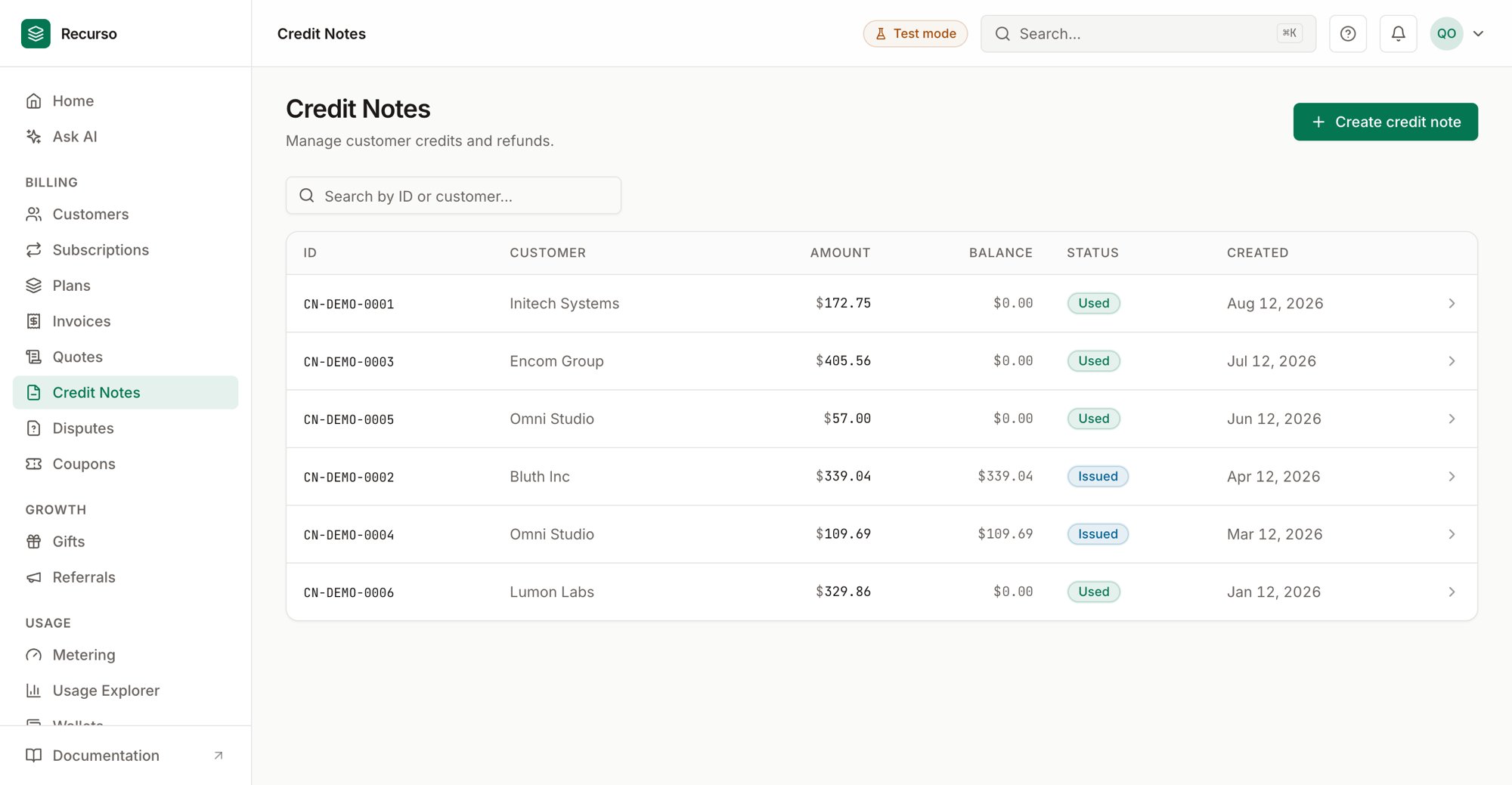
The Credit notes page in the Recurso dashboard
The credit-note list
Credit notes (in the left nav) record money owed back to a customer — a credit they can apply to an invoice, or a refund. Each credit note carries a total amount and a running balance that draws down as it’s used. The list shows every credit note with these columns:
Search by ID or customer name.
Issue a credit note
1
Open Create credit note
Click Create credit note to open the side panel.
2
Pick the customer & amount
- Customer (required) — pick from your customers.
- Credit amount (required) — entered in whole currency units (e.g.
25for $25.00).
3
Link an invoice (optional)
Enter a Linked invoice ID to associate the credit with a specific
invoice, or leave it blank for an unattached account credit.
4
Add a reason
Record a Reason for credit (e.g. Service downtime compensation), then
click Issue credit note.
Enter the credit amount in major units — the dashboard converts it to the minor
units the API stores. Linking an invoice is optional.
The credit note detail panel
Click a row to open the detail sheet. It shows the Total amount alongside the Balance remaining, then the Customer, the credit Type, the Reason, an optional Reference, the Refund status (when the credit was paid out as a refund), and the Created date. From the panel you can:- Download document — a print-ready credit note on the same letterhead as your invoices (buyer block, amount, reason, and the original invoice number when the note is linked to one).
- Copy ID — copy the credit note’s id for support or reconciliation.
- Void — for an issued account-credit with an unspent balance, cancel it and write off the remaining balance (the ledger reversal posts automatically). Any already-applied portion stays intact. Refund notes can’t be voided — the money already left through the payment gateway. Admins/owners only, behind a confirmation.
Related
Invoices
The invoices a credit note can be applied against.
Customers
The customer who holds the credit.
Refund a customer
The end-to-end refund walkthrough.