

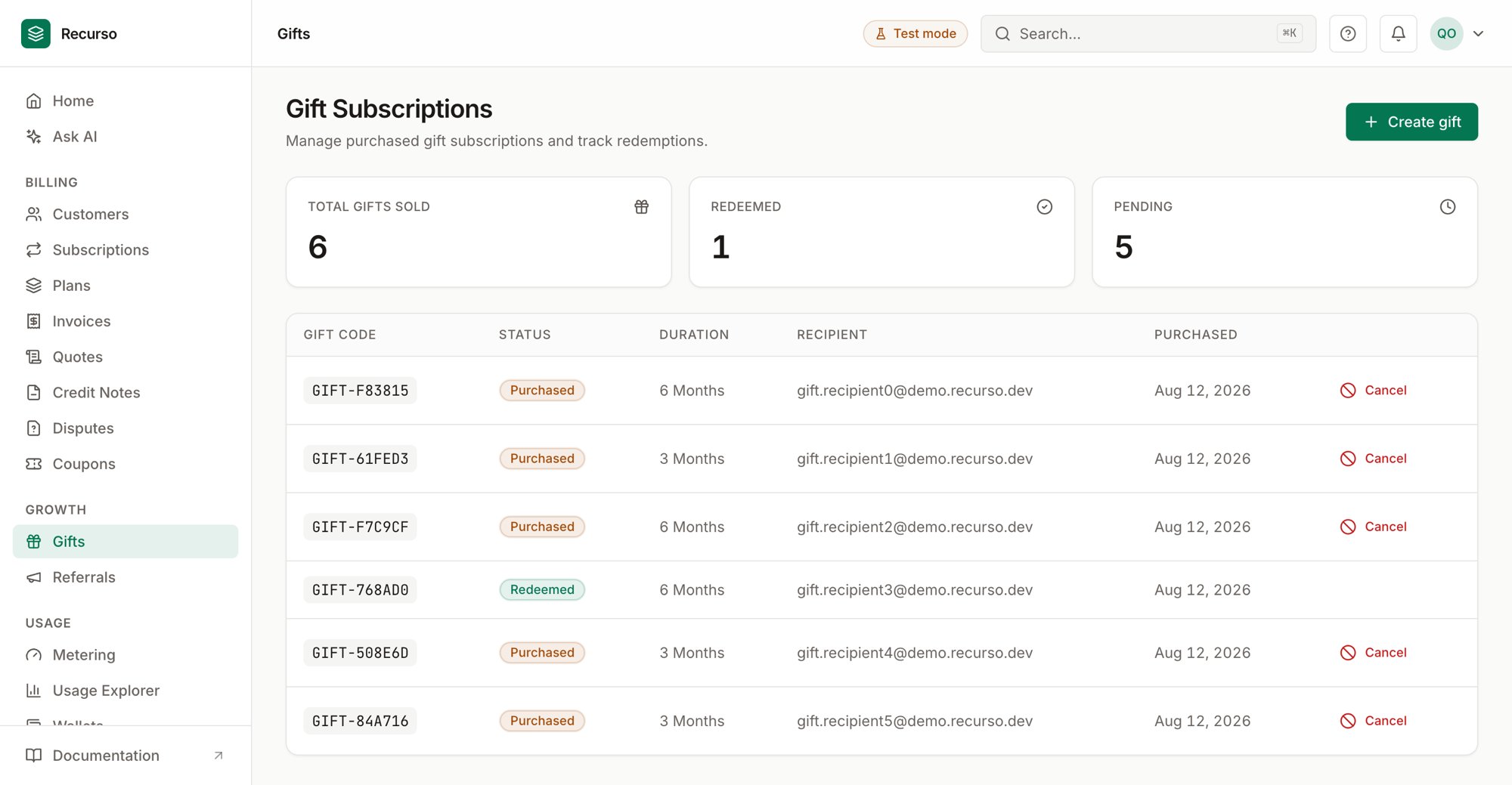
The Gifts page in the Recurso dashboard
Two growth features
Two growth features share this area of the dashboard:- Gift subscriptions — a customer buys a subscription for someone else, redeemable with a gift code.
- Referrals — reward existing customers for bringing in new ones.
Gift subscriptions
The Gift Subscriptions page opens with three stat cards — Total Gifts Sold, Redeemed, and Pending — over a table of every gift:Create a gift
1
Open Create gift
Click Create gift to open the side panel.
2
Fill in the gift
- Buyer customer (required) — the customer purchasing the gift.
- Plan (required) — the plan being gifted.
- Duration (months) (required) — 1 to 36 months.
You can also start a gift purchase from the Gift plan button on the
Plans page.
Referrals
The Referral Program page opens with three stat cards — Total Referrals, Total Rewards Paid, and Pending — over a table of every referral:Create a referral
1
Open Create referral
Click Create referral to open the side panel.
2
Link the two customers
- Referrer (required) — the existing customer doing the referring.
- Referred (required) — the new customer. The referrer is excluded from this list so you can’t link a customer to themselves.
- Reward amount — entered in cents (e.g.
500= $5.00).
Qualify a referral
A Pending referral shows a Qualify action in its row. Qualifying marks the referral as met — the reward becomes claimable — and the status advances.Related
Customers
The buyers, referrers, and referred customers.
Plans & products
The plans you gift.
Wallets
Where reward credit can land as prepaid balance.