

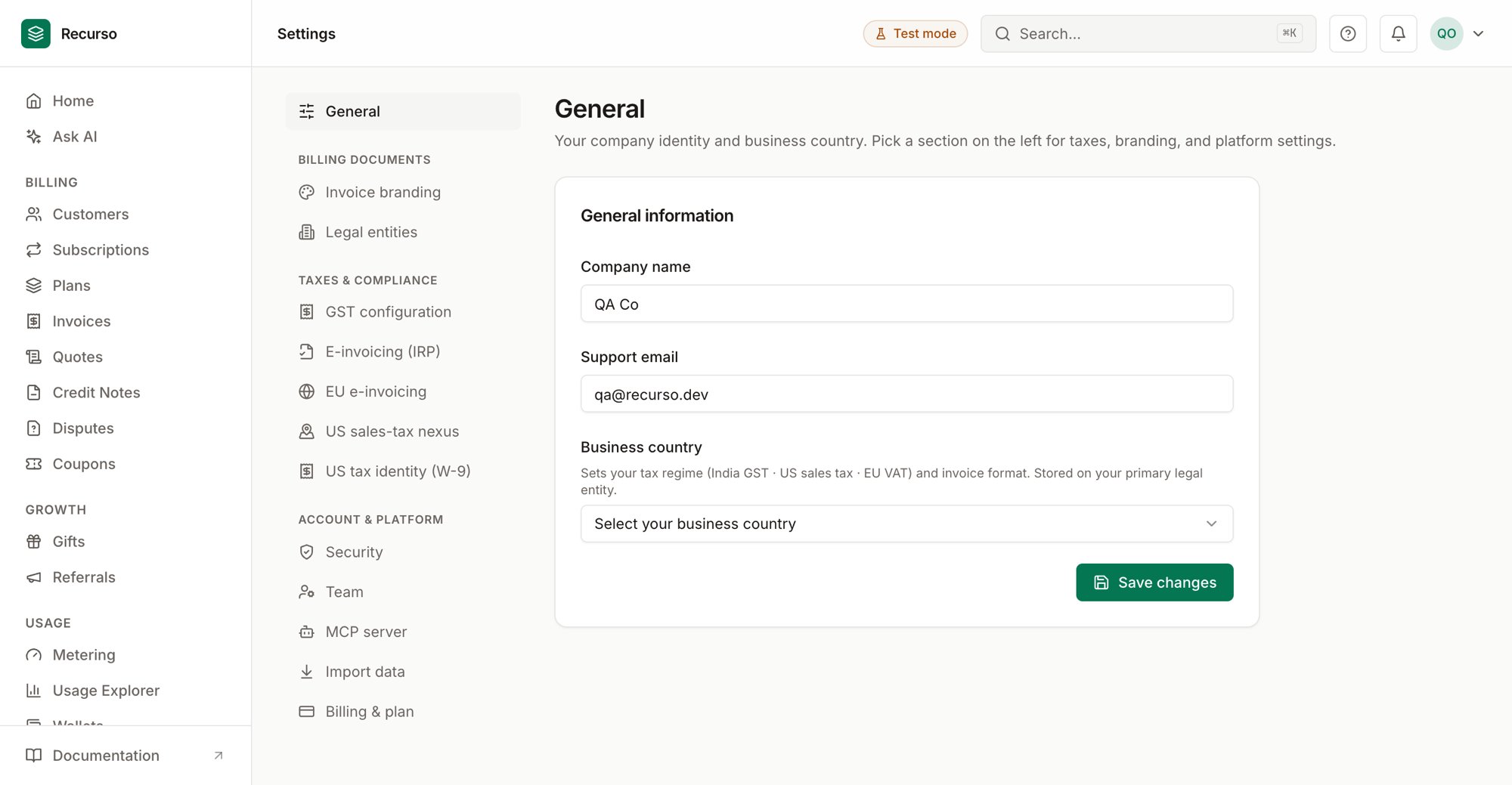
The Settings page in the Recurso dashboard
What lives in Settings
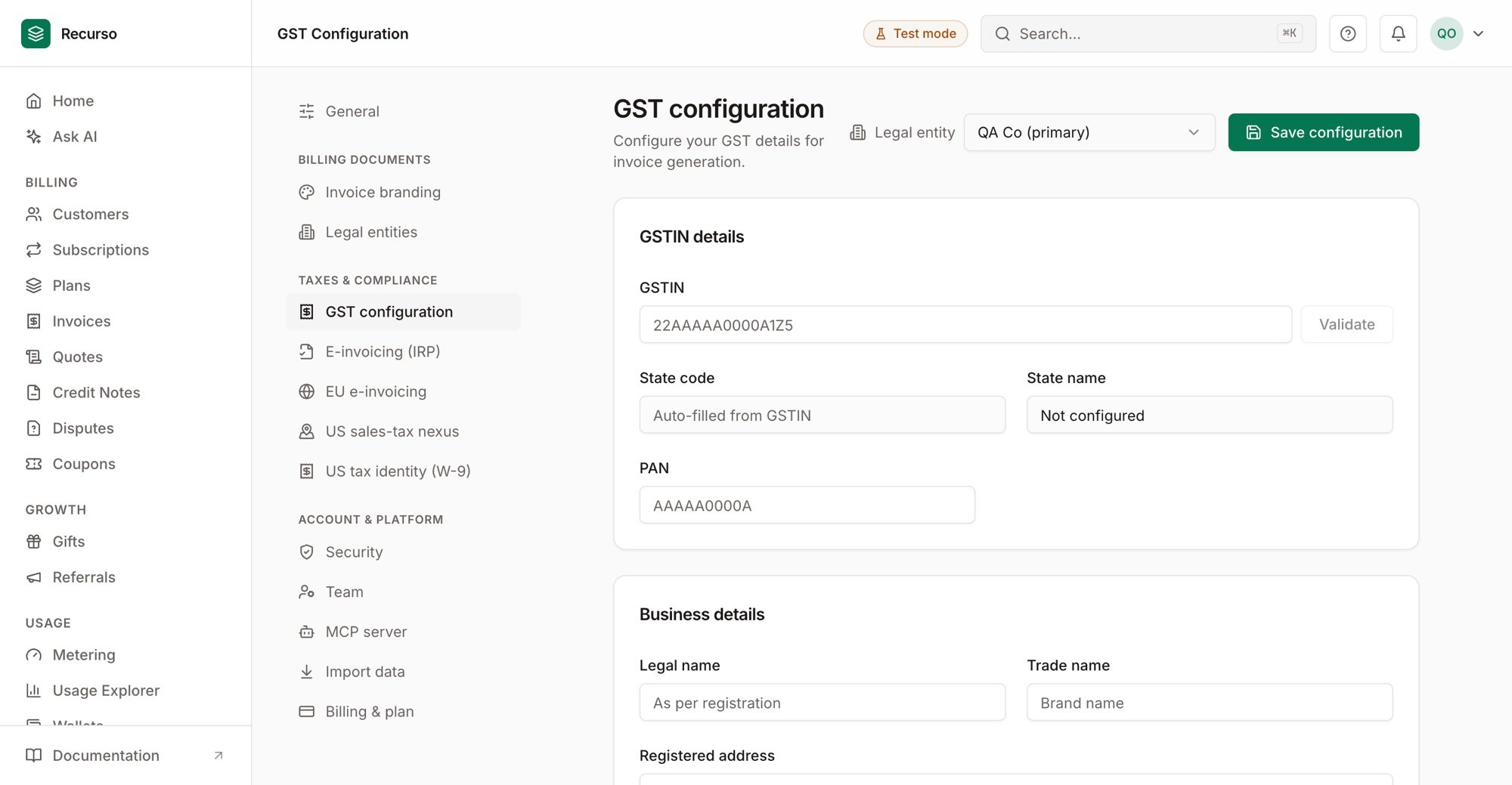
GST configuration
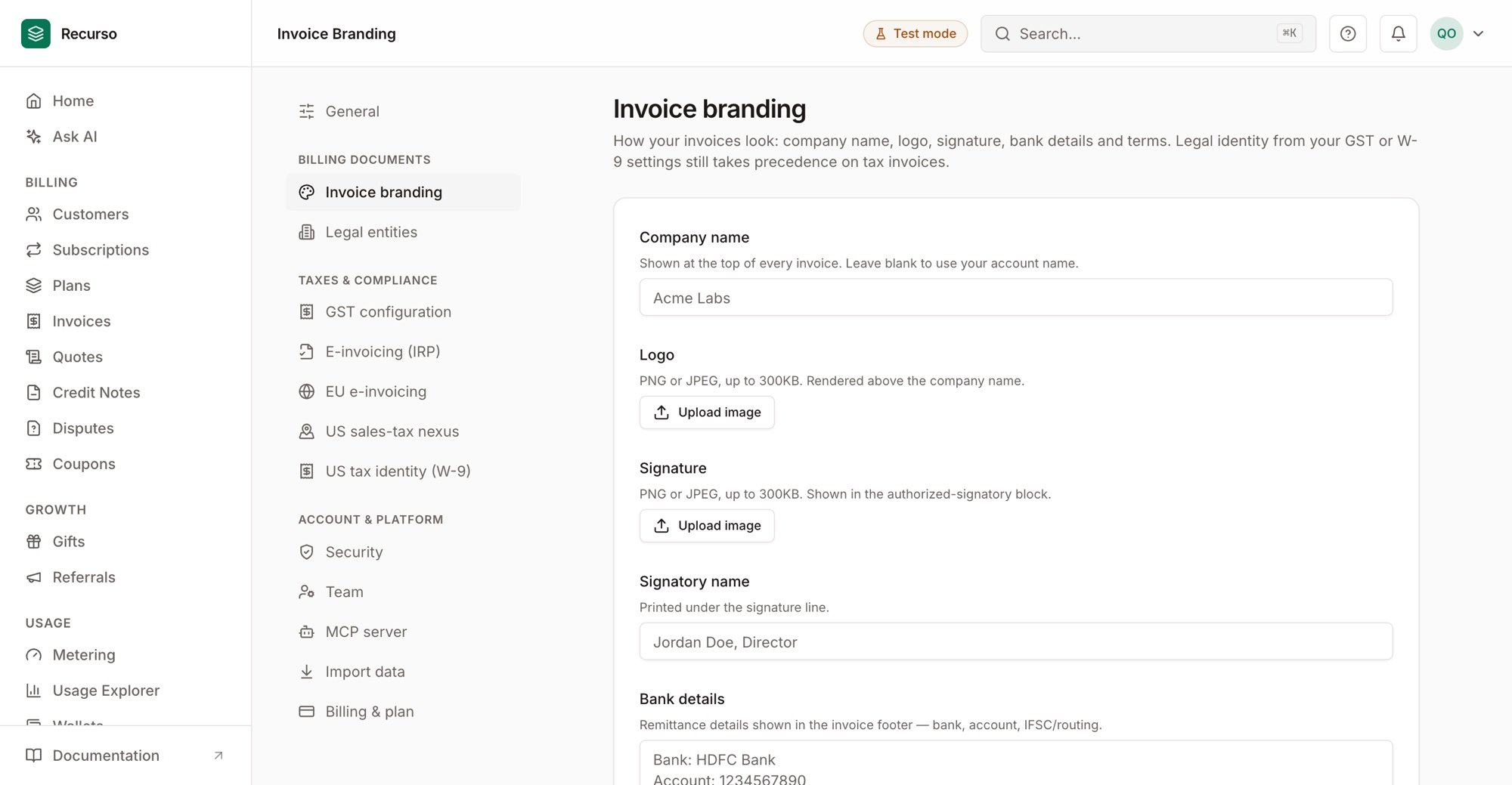
Invoice branding — logo, signature, bank details, terms
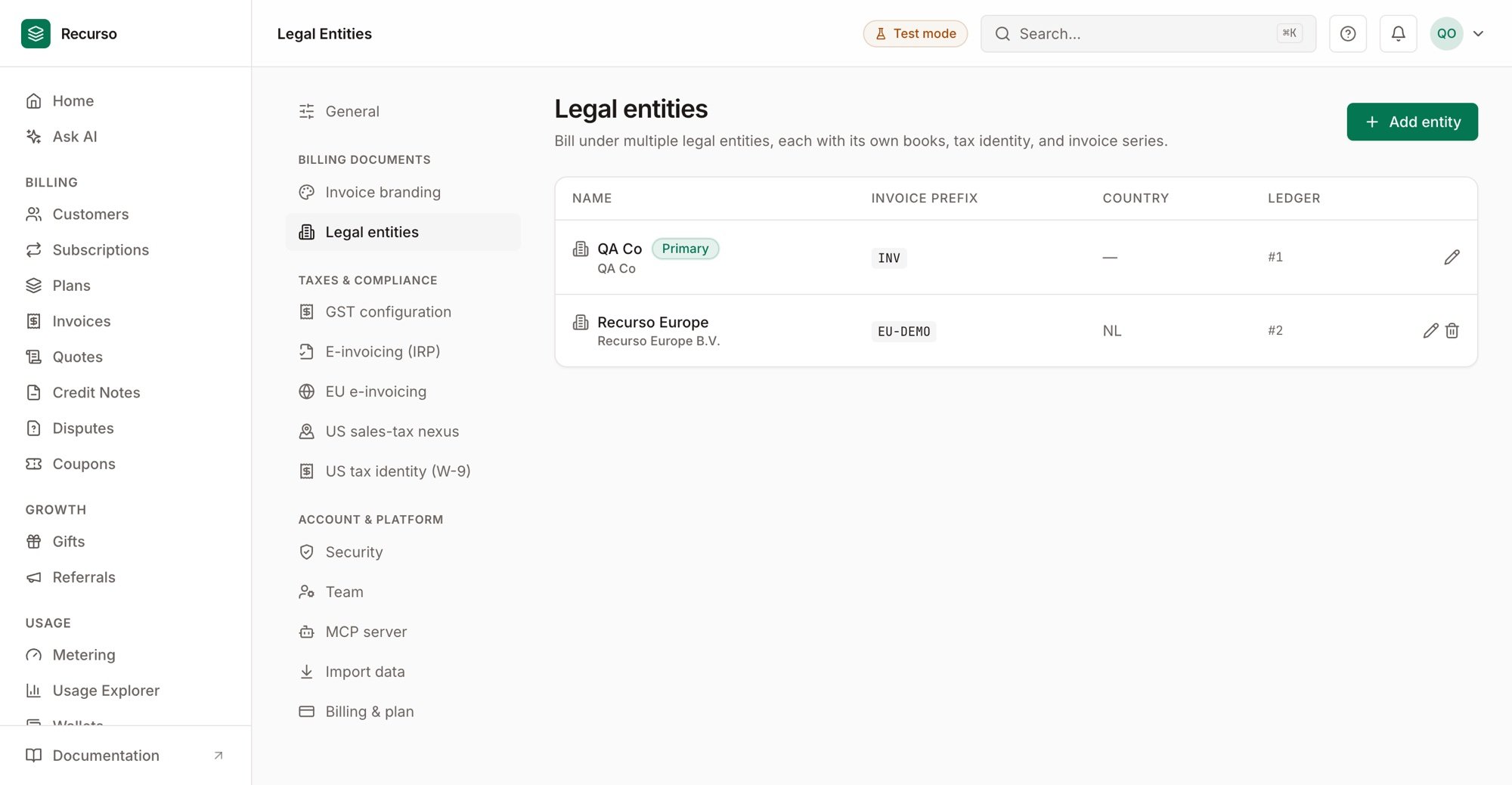
Legal entities
- General information — your company name and support email. Edit them and click Save changes.
- A list of sub-pages: Security, GST configuration, E-invoicing (IRP), and US sales-tax nexus.
The Security link opens the Security
page (2FA and sessions).
GST configuration
Set the GST details Recurso stamps on Indian invoices. Open Settings → GST configuration, then Save configuration when done.1
GSTIN details
Enter your 15-character GSTIN and click Validate. On a valid number,
the state code, state name, and PAN are auto-filled (state fields
are read-only). You can also set PAN manually.
2
Business details
Fill in your legal name (as registered), trade name, and registered
address.
3
Tax settings
Set the SAC code (defaults to
998314 for SaaS), the GST rate
(standard software rate is 18%), and tick LUT (Letter of Undertaking) to
apply 0% GST on export of services.E-invoicing (IRP)
Connect the NIC Invoice Registration Portal so Recurso can generate an IRN for B2B invoices. Open Settings → E-invoicing (IRP).1
Enable and choose environment
Toggle Enable e-invoicing, then pick the environment — Sandbox
for testing or Production.
2
Enter credentials
Provide your GSTIN and the NIC API Client ID, Client secret,
Username, and Password.
3
Test and save
Click Test connection to verify the credentials — a green or red banner
reports the result — then Save configuration.
US sales-tax nexus
Open Settings → US sales-tax nexus to declare where you collect US sales tax and to watch economic-nexus thresholds.Declared nexus states
Add a row per state: a two-letter state code and a nexus type (physical, voluntary, or economic). Save states persists the list.Economic-nexus status
A read-only table (scoped to the current year) shows, per state with activity: YTD taxable sales, YTD transactions, and threshold proximity as a percentage. A state that has crossed its threshold is flagged, and crossings auto-establish nexus server-side.Economic-nexus tracking depends on the deployment — if it isn’t available you’ll
see a note instead of the table. When the threshold dataset hasn’t passed
professional review, a banner marks the proximity figures as indicative, not
advice.
Related
Invoices
Where the GST and e-invoicing config is applied.
Team & security
Members, roles, 2FA, and sessions.